Investitionen in Finanzprodukte sind mit Risiken verbunden. Verluste können den Wert Ihrer ursprünglichen Investition übersteigen.
Kurze Antwort
MetaTrader 5 für iOS ist die offizielle MetaQuotes-App für iPhone und iPad, die kostenlos im App Store erhältlich ist. Sie unterstützt die Auftragserteilung, Markttiefe, Charting mit den meisten Standardindikatoren sowie die Kontoverwaltung. Strategietests, benutzerdefinierte Expert Advisors und der visuelle Strategie-Editor sind nur auf dem Desktop verfügbar; iOS zeigt EA-Ergebnisse nur im schreibgeschützten Modus an und kann keine neue EA-Entwicklung ausführen.
MetaTrader 5 für iOS ist die offizielle mobile Version von MetaQuotes Software Corp. Sie läuft kostenlos auf iPhone und iPad und bietet dieselbe Chart-Engine, dieselben Ordertypen und denselben Kontozugriff wie das Desktop-Terminal. Die Unterschiede zur Desktop-Version ergeben sich aus den App-Review-Richtlinien von Apple, weshalb einige Funktionen, die in der Windows-Version von MT5 vorhanden sind, auf iOS fehlen oder verschoben wurden. Hier finden Sie die Einrichtung, die Einschränkungen und die Workarounds, die wir für Trader nutzen, die hauptsächlich vom Smartphone aus agieren.
Schritt 1: Installation der App
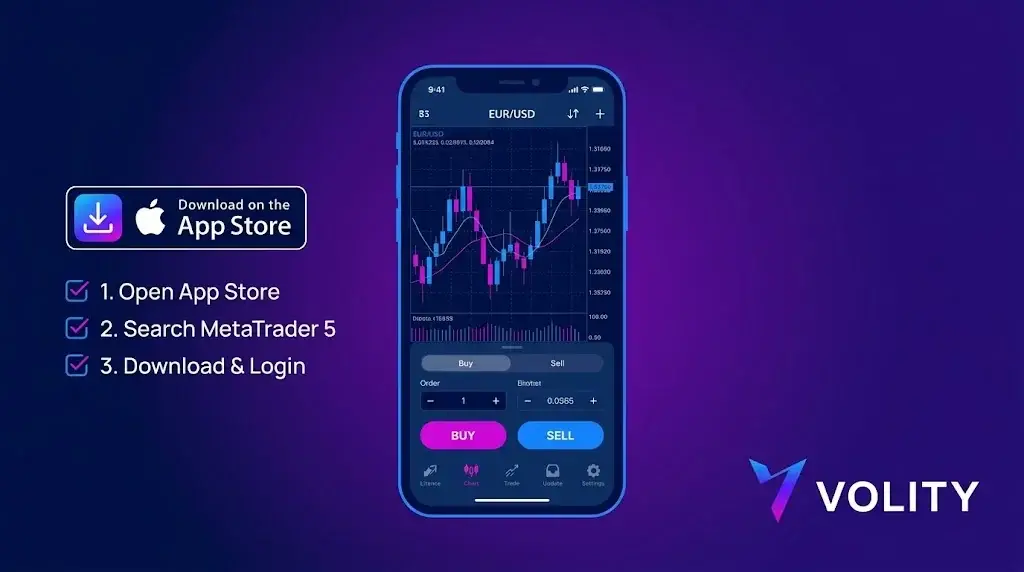
Öffnen Sie den App Store und suchen Sie nach „MetaTrader 5“. Der offizielle Herausgeber ist MetaQuotes Ltd. Die App ist etwa 220 MB groß und unterstützt iOS 13 und höher. Vermeiden Sie Klone von Drittanbietern; nur die MetaQuotes-Version verbindet sich zuverlässig mit Live-Brokerservern und erhält Sicherheitsupdates.
Schritt 2
Sie benötigen drei Informationen von Ihrem Broker:
- Servername (z. B. „BrokerName-Live01“ oder „BrokerName-Demo“)
- Login-Nummer (numerisch, vom Broker zugewiesen)
- Passwort
In der App: Einstellungen, Neues Konto, Suche nach Brokername. Die App lädt die Serverliste aus dem Verzeichnis von MetaQuotes. Wählen Sie den Server, der zu Ihrem Kontotyp passt. Geben Sie Login und Passwort ein. Live- und Demokonten unterscheiden sich durch den Server, nicht durch die Anmeldedaten.
Schritt 3
Der Standard-Zeitrahmen ist M1. Tippen Sie auf das Zeitrahmen-Label in der oberen Leiste, um zu wechseln (M1, M5, M15, M30, H1, H4, D1, W1, MN). Tippen Sie auf das Indikator-Symbol, um Indikatoren hinzuzufügen: Gleitende Durchschnitte, Bollinger Bänder, RSI und MACD sind nativ enthalten. Benutzerdefinierte Indikatoren, die in MQL5 entwickelt wurden, laufen nicht auf iOS. Dies ist die erste große Einschränkung.
Schritt 4
Tippen Sie auf das „+“-Symbol oben rechts oder auf das Symbol im Chart. Auf iOS verfügbare Ordertypen:
- Marktausführung
- Buy Limit, Sell Limit
- Buy Stop, Sell Stop
- Buy Stop-Limit, Sell Stop-Limit (nur MT5, nicht auf MT4 mobile)
Stop-Loss und Take-Profit können bei der Auftragserteilung hinzugefügt oder nachträglich geändert werden. One-Click-Trading ist über eine Einstellung verfügbar; standardmäßig erscheint ein Bestätigungsdialog.
iOS-spezifische Einschränkungen
Drei Einschränkungen, die Sie berücksichtigen sollten:
- Keine Ausführung von Expert Advisors. EAs laufen nur auf dem Desktop-Terminal oder über einen VPS. Die iOS-App kann keinen MQL5-Code hosten oder ausführen. Wenn Ihre Strategie von einem EA abhängt, dient die iOS-App nur zur Überwachung und für manuelle Notfalleingriffe, nicht zur Ausführung der Strategie.
- Keine benutzerdefinierten Indikatoren. Sie erhalten die integrierte Bibliothek (etwa 30 Indikatoren). Alles, was von der Community erstellt wurde oder proprietär ist, wird nicht geladen.
- Reduzierter Strategietester. Der vollständige Backtester ist nur auf dem Desktop verfügbar. iOS ist für die Live-Ausführung und Chartanalyse gedacht, nicht für die Optimierung.
Was auf iOS gut funktioniert
Drei Bereiche, in denen mobiles MT5 wirklich stark ist:
- Push-Benachrichtigungen. Preisalarme, Orderausführungen und Ereignisse auf Kontoebene kommen bei stabiler Verbindung innerhalb einer Sekunde an. Konfigurieren Sie dies in den App-Einstellungen und aktivieren Sie dann die iOS-Benachrichtigungen für MetaTrader 5.
- Mehrere Chartfenster. Bis zu vier gleichzeitige Charts auf dem iPad, zwei auf dem iPhone im Querformat. Überwachung mehrerer Symbole ohne Bildschirmwechsel.
- Nativer Wirtschaftskalender. Der von MetaQuotes kuratierte Kalender ist in der App enthalten, mit Filtern für Länder und Ereignisse.
Workaround: running EAs while trading from iOS
Die Standardlösung ist ein VPS. Der integrierte MetaTrader VPS von MetaQuotes kostet 10 – 20 USD pro Monat und wird direkt über das Desktop-Terminal unter Extras, Virtuelles Hosting konfiguriert. Ihr EA läuft 24/5 auf dem VPS, während Sie diskretionäre Trades über die iOS-App auf demselben Konto ausführen. Beide Terminals sehen dieselbe Orderhistorie; der gleichzeitige Betrieb wird unterstützt.
Workaround: running EAs while trading from iOS
Zwei praktische Wege:
- Replizieren Sie den Indikator nach Möglichkeit mit den integrierten Tools (die meisten einfachen benutzerdefinierten Indikatoren basieren auf Standardindikatoren).
- Lassen Sie den Indikator auf dem Desktop-Terminal laufen und nutzen Sie Preisalarme, um ein Signal per Push-Benachrichtigung an die iOS-App zu senden.
Akku- und Verbindungsmanagement
Die App fragt den Server im aktiven Zustand jede Sekunde ab. Die Hintergrundabfrage erfolgt in geringerer Frequenz. Zwei praktische Hinweise:
- WLAN versus Mobilfunk: Ein Wechsel des Mobilfunknetzes während eines Trades kann zum Abbruch der Order führen. Wenn Sie eine Order über Mobilfunk platzieren, achten Sie auf die Bestätigung. Die App versucht bei Wiederverbindung erneut zu verbinden, garantiert jedoch keine Ausführung zum ursprünglichen Kurs.
- Akku: Eine aktive Charting-Sitzung verbraucht 8 – 12 % pro Stunde. Verlassen Sie sich nicht auf ein einziges Gerät für den ganztägigen Live-Handel.
Sicherheits-Checkliste vor der Einzahlung
- Aktivieren Sie Face ID oder Touch ID für den App-Zugriff (Einstellungen, Autorisierung).
- Aktivieren Sie die Zwei-Faktor-Authentifizierung im Kundenbereich Ihres Brokers.
- Überprüfen Sie, ob der Server, mit dem Sie verbunden sind, mit der veröffentlichten Serverliste Ihres Brokers übereinstimmt.
- Testen Sie eine Auszahlung eines kleinen Betrags, bevor Sie nennenswerte Summen einzahlen. Der Auszahlungsprozess findet bei den meisten Brokern im Kundenbereich statt, nicht in der MT5-App.
MT5 auf iOS bei Volity
Volity unterstützt MetaTrader 5 auf iOS für Kunden von UBK Markets Ltd (CySEC 186/12). Die Einrichtung folgt dem oben beschriebenen Standard-MetaQuotes-Prozess; der Servername erscheint nach dem KYC in Ihrem Kundenbereich. Push-Benachrichtigungen, der native Wirtschaftskalender und alle Standard-MT5-Ordertypen sind verfügbar. Es gelten die ESMA-Hebelbeschränkungen für Kleinanleger; der Schutz vor negativen Kontoständen ist vertraglich geregelt.
Volity betreibt eine Handelsplattform und veröffentlicht außerdem Bildungs- und Analyseinhalte zum Thema Trading. Die Inhalte dieser Seite dienen ausschließlich Bildungszwecken und sind nicht als Finanzberatung zu verstehen. Volity kann kommerziell profitieren, wenn Leser über Links auf dieser Website Handelskonten eröffnen.
Unsere Inhalte werden nach dokumentierten redaktionellen Standards erstellt und geprüft; siehe unsere Vergleichs- und Bewertungsmethodik.
Häufig gestellte Fragen
Kann ich Expert Advisors auf MT5 für iOS ausführen?
Nein. Die iOS-Version ist ein Handelsterminal, keine Entwicklungsumgebung, daher laufen automatisierte Strategien nicht auf dem Gerät. Wer einen EA dauerhaft laufen lassen möchte, nutzt einen VPS oder eine Desktop-Installation und das Telefon zur Überwachung.
Zeigt MT5 unter iOS dieselben Charts wie der Desktop?
Die Chartfunktionen sind reduziert. Standardzeiteinheiten und eingebaute Indikatoren stehen zur Verfügung; auf dem Desktop installierte eigene Indikatoren werden nicht mit dem Telefon synchronisiert. Die App eignet sich zur Überwachung, nicht zur Analyse.
Wie melde ich mich bei MT5 unter iOS an?
Suchen Sie in der App den Servernamen Ihres Brokers und geben Sie dann Kontonummer und Passwort ein. Erscheint der Server nicht, veröffentlicht der Broker die exakte Serveradresse; die manuelle Eingabe behebt die meisten Anmeldeprobleme.