Quick answer
A crypto trading app lets you buy, sell and trade cryptocurrency from your phone, with charts, order types and alerts. The best crypto trading apps are secure, regulated, easy to use, and offer the coins and tools you need with low fees. Mobile suits quick trades and monitoring; many active traders pair an app with a desktop platform.
The Crypto Trading Starter Kit
A plain-English PDF: what to check before you trade, how orders and risk really work, and the mistakes to skip. Get it free.
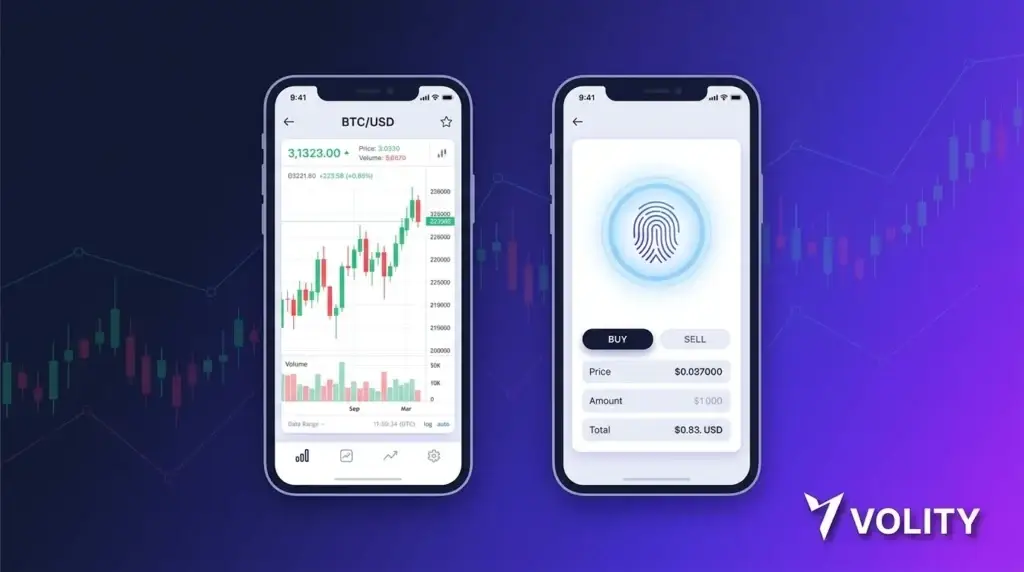
A crypto trading app lets you buy, sell, and manage cryptocurrency positions from your phone. Volity MT Mobile is the iOS and Android app for your all-in-one money hub. Trade 20+ cryptos on Volity MT with real-time charts, one-tap orders, biometric login, and full feature parity with the desktop platform.
What the Volity app does
Volity Mobile is the same trading engine you get on desktop, redesigned for a touch interface. Three things move from Web to phone without losing functionality:
- Full Volity MT trading layer: every instrument available on desktop is available on mobile. Crypto, forex, indices, commodities, stocks. One-tap order entry. Stop-loss and take-profit setup in the same flow as the order
- Wallet and payments: check balances across BTC, ETH, USDT, USDC, USD, EUR. Move funds between wallet and trading account. Deposit by card. Send crypto to external addresses
- Charting and analysis: TradingView-powered charts with 100+ technical indicators. Pinch-zoom, fullscreen mode, multi-timeframe view. Custom indicators sync with desktop
The app is free on the App Store (iOS) and Google Play (Android). No premium tier inside the app; all features come with your Volity account.
What you can do from the app
- Open and close positions on crypto, forex, indices, stocks, commodities, metals
- Set stop-loss, take-profit, trailing stops before or during a trade
- One-click trading for fast entry
- Watchlists that sync with desktop and web
- Real-time price alerts delivered as push notifications
- Deposit and withdraw via card, SEPA, or crypto address
- Convert between fiat and crypto inside your Volity wallet
- View P&L across all asset classes in one balance view
Security inside the crypto trading app
- Biometric login: Face ID, Touch ID, or Android fingerprint
- Two-factor authentication for sensitive actions (withdrawals, password changes)
- Encrypted connections end-to-end with TLS 1.3
- Auto-lock after configurable inactivity
- Device management: revoke access from any trusted device
Funds remain in Volity’s segregated bank accounts under trustee arrangements. The app is a remote control for the account, not custody of the assets themselves.
Performance and reliability
The app holds order execution to the same standard as desktop: 99.6% of orders fill in under one second, with no requotes and a 0% rejection rate. Push-notification latency for filled orders typically sits under 500 ms. Charts stream tick data on Wi-Fi and on cellular, with bandwidth optimisation for slower connections.
Who the crypto trading app suits
The app suits anyone who wants to trade outside their desktop hours. Three common patterns:
- Always-on crypto traders. Crypto trades 24/7; markets do not pause for sleep. App alerts let you check entries without staying glued to a desk
- Multi-asset retail traders. Forex trades 24/5; equities trade in regional sessions. Trade events while away from a screen
- Wallet-first users. Deposit USDT, watch it convert, hold or trade, withdraw to external address, all without opening a laptop
What the app does not do
- Custody management for external wallets: the app is for your Volity account. External self-custody wallets like Ledger or MetaMask are separate tools
- DeFi interactions: Volity is centralised, regulated execution. The app does not connect to DeFi protocols
- OTC desk: large-block trades over $50,000 go through the VIP relationship channel, not the standard app order flow
These are deliberate boundaries. The app does mainstream trading, wallet, and payments well. For self-custody or DeFi, you use complementary tools.
How to install the Volity app
- Search “Volity” on the App Store (iOS) or Google Play (Android)
- Install the free app
- Log in with your existing Volity credentials, or sign up new
- Complete KYC if not already done
- Enable biometric login at first launch
- Fund your wallet from card, SEPA, or crypto address
- Open Volity MT inside the app and place your first trade
Most users complete the flow from install to first order in under five minutes.
Sources
Related Volity platforms
- Crypto Paper Trading: Practice with Real Market Data
- Crypto Trading Sites: Two Models Compared
- Crypto Trading Software: 4 Categories
- CFD Demo Account: Free Practice on Volity
- Crypto Trading Platform: full Volity MT for live markets
Frequently asked questions
Is the Volity app free?
Yes. Volity Mobile is free on the App Store and Google Play with no premium tier. Standard trading costs (spread, swap on overnight positions, 1% FX conversion) apply the same way on mobile as on desktop.
Does the app support all the same crypto pairs as the desktop?
Yes. The app exposes the full Volity MT instrument list: 20+ crypto pairs (BTC, ETH, USDT, USDC, BCH, LTC, XRP, SOL, ADA, DOGE and more), 40+ forex pairs, indices, commodities, stocks, and metals. Feature parity with desktop is the design goal.
Can I set stop-loss orders from the app?
Yes. Stop-loss, take-profit, and trailing stops can be set before placing an order, attached to an existing position, or modified at any time. The order ticket on mobile mirrors the desktop layout.
Is the Volity app safe?
The app uses biometric login (Face ID, Touch ID, Android fingerprint), two-factor authentication for sensitive actions, end-to-end TLS 1.3 encryption, and auto-lock on inactivity. Funds sit in Volity’s segregated client accounts, separate from the app. The app is a remote control, not custody.
Does the app work offline?
You can view cached charts and saved watchlists offline, but order execution and live prices require an internet connection. The app handles brief connectivity drops gracefully and resumes orders when reconnected.
Can I trade from the app on a phone in a country where Volity is restricted?
Service availability follows the regulatory rules in your country of residence, not the country your phone is currently in. The app respects the same eligibility rules as the desktop platform.