Investir dans des produits financiers comporte des risques. Les pertes peuvent dépasser la valeur de votre investissement initial.
Quick answer
MetaTrader 4 sur iPad fonctionne comme l’application iOS standard MT4 adaptée aux tablettes. Installez-la depuis l’App Store, connectez-vous avec le serveur de votre courtier et vos identifiants de compte, puis passez des ordres au marché ou en attente, gérez vos stops et affichez les indicateurs standard. Les indicateurs personnalisés, les Expert Advisors et le testeur de stratégie sont réservés à la version bureau et ne fonctionnent pas sur iPad.
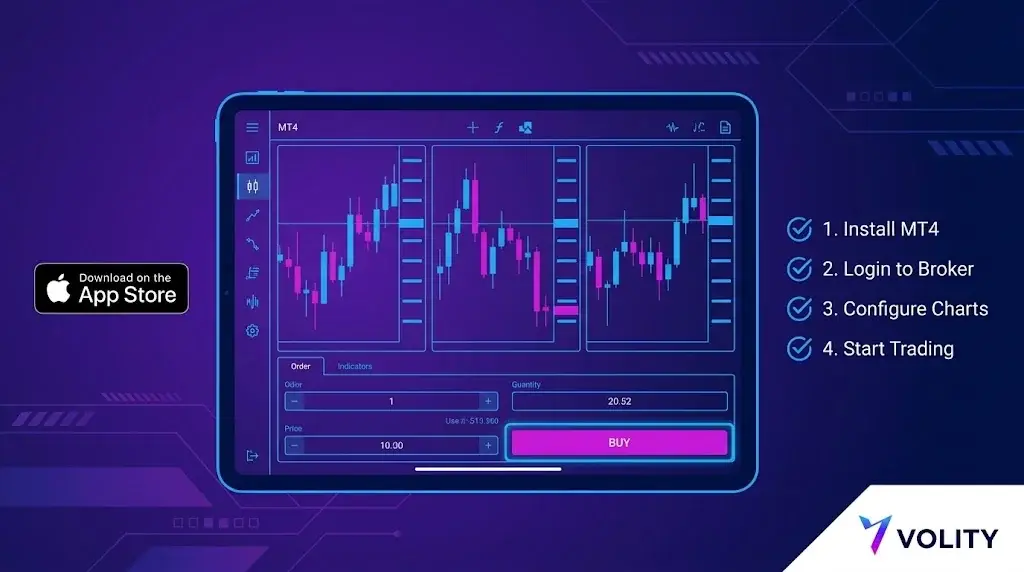
MetaTrader 4 sur iPad est la version mobile officielle de MetaQuotes Software Corp, optimisée pour le grand écran de l’iPad. Elle est gratuite, fonctionne sous iPadOS 13 et versions ultérieures, et prend en charge les mêmes comptes de courtage que la version bureau. Le format iPad apporte une réelle valeur ajoutée par rapport à l’iPhone : plus d’espace pour les graphiques, de meilleures listes de surveillance et une analyse multi-fenêtres simplifiée. Ce qu’il n’apporte pas, c’est la parité avec la version bureau. Les EA, les indicateurs personnalisés et le testeur de stratégie restent exclusifs à la version bureau. Voici la configuration et les solutions de contournement pour ces contraintes.
Étape 1 : installer l’application
Ouvrez l’App Store sur l’iPad et recherchez « MetaTrader 4 ». L’éditeur officiel est MetaQuotes Ltd. N’installez pas de clones tiers ; seule la version de MetaQuotes se connecte de manière fiable aux serveurs des courtiers et reçoit les mises à jour de sécurité. Le téléchargement pèse environ 90 Mo.
Étape 2
Trois informations sont nécessaires de la part de votre courtier :
- Nom du serveur (par ex. « BrokerName-Live » ou « BrokerName-Demo »)
- Numéro de compte (numérique, attribué à l’ouverture du compte)
- Mot de passe
Dans l’application : Paramètres, Comptes, icône plus, Connexion à un compte existant. Recherchez par nom de courtier ; l’application récupère la liste des serveurs depuis le répertoire de MetaQuotes. Choisissez le serveur correspondant à votre type de compte. Les comptes réels et démo sont différenciés par le serveur, et non par les identifiants.
Étape 3
L’application iPad prend en charge jusqu’à quatre fenêtres graphiques simultanément en mode paysage, deux en mode portrait. Appuyez sur l’icône graphique pour ajouter de nouveaux graphiques ; appuyez sur l’en-tête du symbole pour changer d’instrument. Les unités de temps par défaut vont de M1 à MN, modifiables via l’étiquette de période.
Indicateurs intégrés : environ 30, incluant les moyennes mobiles, les bandes de Bollinger, le MACD, le RSI, le Stochastique, l’Ichimoku. Outils de dessin : lignes de tendance, Fibonacci, canaux, texte. Tout s’opère via l’écran tactile.
Étape 4
Appuyez sur l’en-tête du symbole sur un graphique, puis sur « Nouvel ordre ». Types d’ordres disponibles sur MT4 iPad :
- Exécution au marché
- Buy limit, sell limit
- Buy stop, sell stop
Le stop-loss et le take-profit peuvent être ajoutés lors de l’ouverture de l’ordre ou modifiés ultérieurement en appuyant sur la position dans l’onglet Trading. Le trading en un clic est configurable dans les Paramètres.
Limitations spécifiques à l’iPad
Trois contraintes à prendre en compte :
- Pas d’exécution d’Expert Advisor. Les EA ne fonctionnent que sur la version bureau ou via un VPS. L’application iPad ne peut pas héberger ou exécuter de code MQL4.
- Pas d’indicateurs personnalisés. Seule la bibliothèque intégrée est disponible. Tout élément créé par la communauté ou propriétaire ne se chargera pas.
- Pas de testeur de stratégie. Le backtesting et l’optimisation sont réservés à la version bureau. L’iPad est destiné à l’exécution en direct et à l’analyse graphique.
Ce qui fonctionne particulièrement bien sur iPad
Trois domaines où le format iPad excelle :
- Analyse graphique multi-fenêtres. Quatre graphiques à la fois, chacun sur une unité de temps ou un symbole différent, permettent à un trader discrétionnaire de lire le contexte d’un coup d’œil, ce que l’iPhone ne permet pas.
- Annotation avec l’Apple Pencil. Les lignes de tendance et les niveaux de Fibonacci tracés avec l’Apple Pencil sont nettement plus précis que via le toucher sur iPhone.
- Notifications push. Les alertes de prix, les exécutions d’ordres et les événements liés au compte arrivent en une seconde sur une connexion stable. Configurez chaque alerte dans l’application, puis activez les notifications iPadOS pour MetaTrader 4.
Solution
La solution standard est un VPS. Le VPS MT4 intégré de MetaQuotes se configure depuis la version bureau sous Outils, Hébergement virtuel, coûte entre 10 et 20 USD par mois, et fonctionne 24/5 indépendamment de vos appareils locaux. Votre EA tourne sur le VPS pendant que vous exécutez des trades discrétionnaires depuis l’iPad sur le même compte. Les deux terminaux voient le même historique de trading.
Solution
Si vous dépendez d’un indicateur personnalisé, deux voies pratiques :
- Exécutez l’indicateur sur le terminal bureau et utilisez des alertes de prix pour envoyer un signal vers l’iPad via notification push.
- Utilisez un outil graphique séparé sur l’iPad pour l’analyse, et passez vos ordres dans l’application MT4 iPad une fois le signal identifié.
Gestion de la connexion
Le protocole MT4 interroge fréquemment le serveur lorsque l’application est au premier plan. Deux notes pratiques :
- Le basculement entre Wi-Fi et réseau cellulaire pendant un trade actif peut annuler l’ordre avant confirmation. L’application tente de se reconnecter mais ne garantit pas une exécution au cours initial. Si vous passez un ordre sur réseau cellulaire, surveillez la confirmation.
- La consommation de batterie lors d’une session graphique active est d’environ 6-10 % par heure. Prévoyez en conséquence pour une longue session.
Liste de contrôle de sécurité avant de déposer des fonds
- Activez Face ID ou Touch ID pour l’accès à l’application (Paramètres, Autorisation).
- Activez l’authentification à deux facteurs sur l’espace client de votre courtier.
- Vérifiez que le serveur auquel vous vous êtes connecté correspond à la liste des serveurs publiés par le courtier.
- Testez un petit retrait avant de déposer des fonds importants. Les retraits sont généralement traités dans l’espace client du courtier, et non dans l’application MT4.
MT4 sur iPad chez Volity
Volity prend en charge MetaTrader 4 sur iPad pour les clients de UBK Markets Ltd (CySEC 186/12). La configuration suit le processus standard MetaQuotes décrit ci-dessus ; le nom du serveur apparaît dans votre espace client après le KYC. Les notifications push, les mises en page multi-graphiques et tous les types d’ordres MT4 standard sont disponibles. Les plafonds de levier de détail de l’ESMA s’appliquent (1:30 pour les majeures, 1:20 pour les mineures et indices majeurs, 1:10 pour les matières premières, 1:5 pour les actions, 1:2 pour la crypto). La protection contre le solde négatif est contractuelle.
Volity exploite une plateforme de trading et publie également du contenu éducatif et analytique sur le trading. Le contenu de cette page est uniquement à des fins éducatives et ne doit pas être considéré comme un conseil financier. Volity peut bénéficier commercialement lorsque les lecteurs ouvrent des comptes de trading via les liens présents sur ce site.
Notre contenu est produit et révisé selon des standards éditoriaux documentés ; consultez notre méthodologie de comparaison et de revue.
Questions fréquentes
MetaTrader fonctionne-t-il nativement sur iPad ?
Oui, MetaQuotes publie des versions compatibles iPad de MT4 et MT5. La mise en page exploite le plus grand écran pour les graphiques, mais l'application reste un terminal de négociation et non un remplacement complet du bureau.
Peut-on exécuter des stratégies automatisées depuis un iPad ?
Non. Les Expert Advisors exigent le terminal de bureau ou un environnement hébergé tel qu'un VPS. L'application iPad sert à placer, gérer et surveiller les ordres.
Pourquoi le serveur de mon broker est-il introuvable sur iPad ?
La recherche intégrée ne liste que les serveurs enregistrés auprès de MetaQuotes. Si le vôtre manque, le broker publie l'adresse exacte du serveur, que vous pouvez saisir manuellement à l'écran de connexion.