Investing in financial products involves risk. Losses may exceed the value of your original investment.
Quick answer
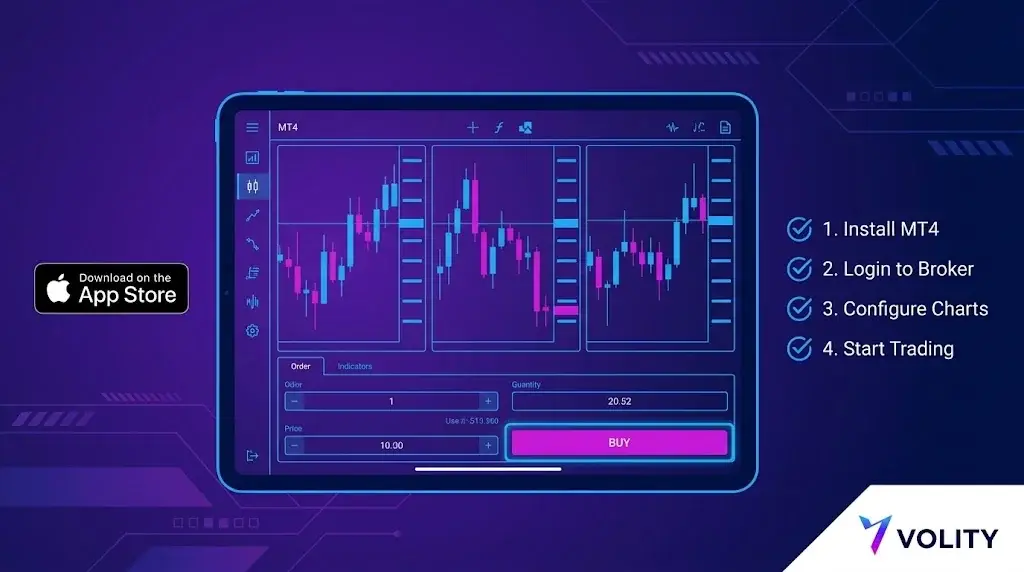
MetaTrader iPad runs the full iOS MT4 terminal, optimised for the tablet screen. Install from the App Store, log in with your broker server and account credentials, then place market or pending orders, manage stops, and chart with standard indicators. Expert Advisors and custom indicators run from a VPS or desktop, mirrored to the same account.
MetaTrader 4 on iPad is the official mobile build from MetaQuotes Ltd, optimised for the iPad’s larger screen. It is free, runs on iPadOS 13 and above, and supports the same broker accounts as the desktop terminal. MetaTrader iPad adds genuine value over iPhone: more chart real estate, better symbol watch lists, easier multi-window analysis. Expert Advisors, custom indicators, and the strategy tester keep running from your desktop or a VPS on the same account, so your full workflow stays intact. Here is the setup, start to finish.
Step 1: install the app
Open the App Store on the iPad and search “MetaTrader 4”. The official publisher is MetaQuotes Ltd. Do not install third-party clones; only the MetaQuotes build connects to live broker servers reliably and gets security updates. The download is roughly 90 MB.
Step 2: connect to your broker
Three pieces of information from your broker:
- Server name (e.g. “BrokerName-Live” or “BrokerName-Demo”)
- Login number (numeric, assigned at account opening)
- Password
In the app: Settings, Manage Accounts, plus icon, Login to an existing account. Search by broker name; the app pulls the server list from MetaQuotes’ directory. Pick the server that matches your account type. Live and demo are differentiated by server, not credentials.
Step 3: configure the workspace
The iPad app supports up to four chart windows simultaneously in landscape, two in portrait. Tap the chart icon to add new charts; tap the symbol header to switch instrument. Default timeframes are M1 through MN, switchable via the timeframe label.
Built-in indicators: about 30, including moving averages, Bollinger Bands, MACD, RSI, Stochastic, Ichimoku. Drawing tools: trendlines, Fibonacci, channels, text. All operate via touch.
Step 4: place an order
Tap the symbol header on a chart, then “New Order”. Order types available on iPad MT4:
- Market execution
- Buy limit, sell limit
- Buy stop, sell stop
Stop-loss and take-profit can be attached at order entry or modified afterwards by tapping the position in the Trade tab. One-click trading is configurable in Settings.
MetaTrader iPad vs desktop
Three functions that live on desktop or a VPS, not the iPad:
- Expert Advisors. EAs run on the desktop terminal or a VPS, then mirror to the iPad on the same account, so automation keeps working while you trade by hand.
- Custom indicators. The iPad ships the full built-in library (around 30 indicators); community-built or proprietary scripts load on the desktop terminal.
- Strategy tester. Backtesting and optimisation run on desktop; the iPad is tuned for live execution and clean chart analysis.
What MetaTrader iPad does particularly well
Three areas where the iPad form factor shines:
- Multi-window chart analysis. Four charts at once, each on a different timeframe or symbol, lets a discretionary trader read context at a glance in a way the iPhone cannot.
- Apple Pencil annotation. Trendlines and Fibonacci levels drawn with Apple Pencil are noticeably more precise than touch on iPhone.
- Push notifications. Price alerts, order fills, and account-level events arrive within a second on a stable connection. Configure per-alert in the app, then enable iPadOS notifications for MetaTrader 4.
Run Expert Advisors while trading from MetaTrader iPad
The standard solution is a VPS. MetaQuotes’ built-in MT4 VPS is configured from the desktop terminal under Tools, Virtual Hosting, runs $10-20 per month, and operates 24/5 independent of your local devices. Your EA runs on the VPS while you execute discretionary trades from the iPad on the same account. Both terminals see the same trade history.
Add external charts and data on MetaTrader iPad
If you rely on a custom indicator, two practical paths:
- Run the indicator on the desktop terminal and use price alerts to push a signal to the iPad via push notification.
- Use a separate charting tool on the iPad for analysis, and place orders in the MT4 iPad app once the signal is identified.
Connection management
The MT4 protocol polls the server frequently when the app is foregrounded. Two practical notes:
- Wi-Fi versus cellular handover during an active trade can drop the order before confirmation. The app re-attempts on reconnection but does not guarantee a fill at the original quote. If you place an order on cellular, watch for the confirmation.
- Battery drain on an active charting session is roughly 6-10% per hour. Plan accordingly for a long session.
Security checklist before you fund
- Enable Face ID or Touch ID for app access (Settings, Authorisation).
- Enable two-factor authentication on the broker’s client area.
- Verify the server you connected to matches the broker’s published server list.
- Test a small withdrawal before funding meaningfully. Withdrawals are typically processed in the broker client area, not the MT4 app.
MT4 on iPad at Volity
Volity supports MetaTrader 4 on iPad for clients of UBK Markets Ltd (CySEC 186/12). Setup follows the standard MetaQuotes flow above; the server name appears in your client area after KYC. Push notifications, multi-chart layouts, and all standard MT4 order types are available. ESMA retail leverage caps apply (1:30 majors, 1:20 minors and major indices, 1:10 commodities, 1:5 equities, 1:2 crypto). Negative balance protection is contractual.
Volity operates a trading platform and also publishes educational and analytical content about trading. The content on this page is for educational purposes only and should not be considered financial advice. Volity may benefit commercially when readers open trading accounts through links on this site.
Our content is produced and reviewed under documented editorial standards; see our comparison and review methodology.
Frequently asked questions
Does MetaTrader run natively on iPad?
Yes, MetaQuotes publishes iPad-compatible builds of both MT4 and MT5. The layout uses the larger screen for charting, but the app remains a trading terminal rather than a full desktop replacement.
Can I run automated strategies from an iPad?
No. Expert Advisors require the desktop terminal or a hosted environment such as a VPS. The iPad app is for placing, managing and monitoring orders.
Why can I not find my broker's server on iPad?
The in-app search only lists servers registered with MetaQuotes. If yours is missing, the broker will publish the exact server address, which you can enter manually on the login screen.