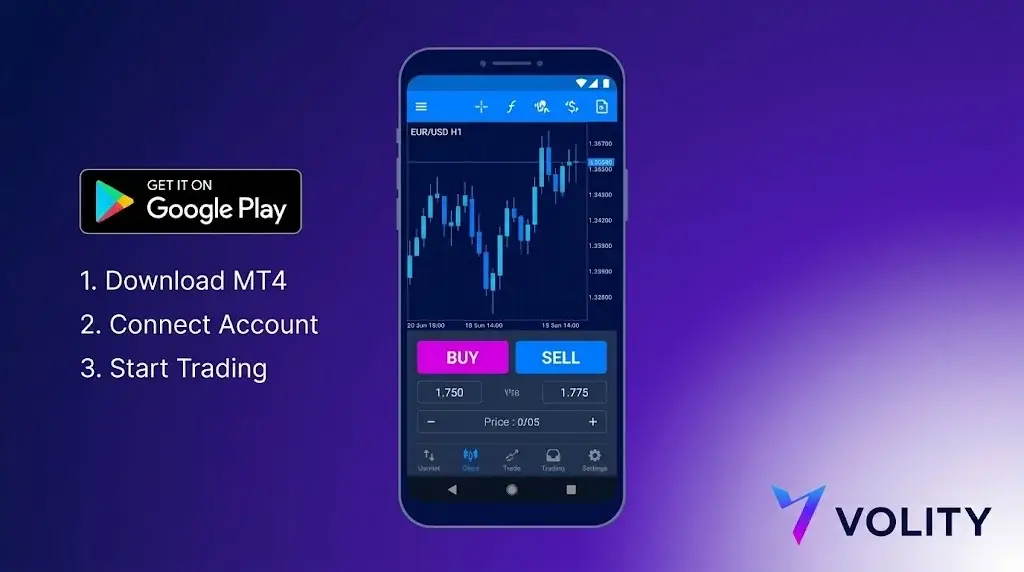
Investir dans des produits financiers comporte des risques. Les pertes peuvent dépasser la valeur de votre investissement initial.
Réponse rapide
MetaTrader 4 sur Android est une application officielle gratuite de MetaQuotes disponible sur le Play Store. Après l’installation, connectez-vous avec le serveur de votre courtier, votre numéro de compte et votre mot de passe. L’application mobile prend en charge les ordres au marché et en attente, les graphiques de base, les indicateurs et la gestion de compte. Les indicateurs personnalisés et les Expert Advisors nécessitent le client de bureau ; la version mobile ne permet qu’un accès en lecture seule à ces derniers.
MetaTrader 4 sur Android est la version mobile officielle de MetaQuotes Software Corp. Elle est gratuite sur Google Play, fonctionne sur Android 5.0 et versions ultérieures, et prend en charge les mêmes comptes de courtier que le terminal de bureau. L’application Android partage environ 95 % de ses fonctionnalités avec la version iOS ; les différences se limitent à des variations mineures de l’interface utilisateur et au modèle de widgets et de notifications plus flexible d’Android. Voici la configuration étape par étape et les limitations pratiques.
Étape 1 : installer l’application
Ouvrez Google Play et recherchez « MetaTrader 4 ». L’éditeur officiel est MetaQuotes Software Corp. N’installez pas de clones tiers ; seule la version de MetaQuotes se connecte de manière fiable aux serveurs de courtiers en direct et reçoit les mises à jour de sécurité. Le téléchargement pèse environ 50 Mo. L’application prend en charge les téléphones et les tablettes Android, avec une mise en page qui s’adapte à la taille de l’écran.
Étape 2
Trois informations sont nécessaires de la part de votre courtier :
- Nom du serveur (par ex. « BrokerName-Live » ou « BrokerName-Demo »)
- Numéro de connexion (numérique, attribué lors de l’ouverture du compte)
- Mot de passe
Dans l’application : menu hamburger, Gérer les comptes, icône plus, Se connecter à un compte existant. Recherchez le nom du courtier ; l’application récupère la liste des serveurs depuis le répertoire MetaQuotes. Choisissez le serveur correspondant à votre type de compte. Les comptes réels et de démonstration sont différenciés par le serveur, et non par les identifiants.
Étape 3
L’unité de temps par défaut est M1. Appuyez sur l’étiquette de l’unité de temps dans la barre supérieure pour changer (M1, M5, M15, M30, H1, H4, D1, W1, MN). Appuyez sur l’icône d’indicateur (f) pour ajouter : les moyennes mobiles, les bandes de Bollinger, MACD, RSI, Stochastique, Ichimoku, Parabolic SAR et d’autres sont natifs. Les indicateurs personnalisés développés en MQL4 ne fonctionnent pas sur Android. C’est la première limitation majeure.
Pour ajouter un outil de dessin, appuyez longuement sur le graphique et sélectionnez dans le menu : lignes de tendance, lignes horizontales, Fibonacci, canaux, étiquettes de texte.
Étape 4
Appuyez sur l’icône « + » en haut à droite ou sur le symbole sur le graphique. Types d’ordres disponibles sur MT4 Android :
- Exécution au marché
- Buy limit, sell limit
- Buy stop, sell stop
Définissez le volume en lots (par défaut 0,01 micro jusqu’à plusieurs centaines de standards, selon le courtier). Attachez un stop-loss et un take-profit lors de l’entrée de l’ordre, ou modifiez-les ultérieurement en appuyant sur la position dans l’onglet Trading. Le trading en un clic se trouve dans les Paramètres, désactivé par défaut.
Étape 5
L’onglet Trading affiche les positions ouvertes et les ordres en attente. Appuyez sur une position pour modifier, fermer partiellement ou fermer complètement. L’onglet Historique affiche les transactions clôturées avec le P&L complet et les détails d’exécution. Appuyez longuement sur une position pour une fermeture rapide au marché.
Étape 6
Dans l’onglet Cotations, appuyez longuement sur un symbole, puis sur Alertes. Définissez la condition de déclenchement (prix supérieur, inférieur, variation en pourcentage), le canal de notification (notification push, e-mail si configuré côté courtier) et l’expiration. Les alertes persistent côté serveur ; l’application n’a pas besoin d’être ouverte pour que la notification se déclenche.
Avantages spécifiques à Android
Deux domaines où Android surpasse iOS pour les utilisateurs de MT4 :
- Exécution en arrière-plan. Android permet à l’application MT4 de maintenir une connexion persistante au serveur de trading avec moins de limitations agressives qu’iOS. Les notifications push et les alertes arrivent un peu plus rapidement.
- Prise en charge des widgets. Le widget MT4 peut afficher une liste de surveillance sur l’écran d’accueil pour une surveillance des prix en un coup d’œil sans ouvrir l’application.
Limitations spécifiques à Android
Les trois mêmes que sur iOS, plus la gestion de la batterie :
- Pas d’exécution d’Expert Advisor. Les EA ne fonctionnent que sur ordinateur ou VPS. Android ne peut pas héberger ou exécuter de code MQL4.
- Pas d’indicateurs personnalisés. Bibliothèque intégrée uniquement.
- Pas de testeur de stratégie. Le backtesting est réservé à la version de bureau.
- Optimisation de la batterie. Les économiseurs de batterie agressifs d’Android (Samsung One UI, Xiaomi MIUI) ferment parfois le service d’arrière-plan MT4. Ajoutez MT4 à la liste blanche dans vos paramètres de batterie pour que les alertes continuent de fonctionner.
Solution
VPS. Le VPS MT4 intégré de MetaQuotes est configuré depuis le terminal de bureau sous Outils, Hébergement virtuel, coûte 10-20 $ par mois et fonctionne 24/5 indépendamment de vos appareils. Votre EA fonctionne sur le VPS ; vous exécutez des transactions discrétionnaires depuis Android sur le même compte. Les deux terminaux voient le même historique de trading.
Solution
Exécutez l’indicateur sur un terminal de bureau ou un VPS et utilisez les alertes de prix MT4 pour envoyer un signal à l’application Android via une notification push. Combiné avec la fonction d’alertes sur Android, cela permet d’obtenir un flux de travail proche de celui des indicateurs personnalisés sans avoir besoin que l’indicateur tourne sur le téléphone.
Gestion de la connexion
- Le passage du Wi-Fi aux données cellulaires pendant une transaction en direct peut annuler l’ordre avant confirmation. Vérifiez la confirmation après chaque ordre passé sur le réseau cellulaire.
- La consommation de batterie lors d’une session active est d’environ 6-12 % par heure, selon le nombre de graphiques et le taux de mise à jour.
- Si les notifications push cessent d’arriver, la cause la plus fréquente est l’optimisation de la batterie Android. Paramètres, Applications, MetaTrader 4, Batterie, réglez sur Non restreint.
Liste de contrôle de sécurité avant de déposer des fonds
- Activez le déverrouillage par empreinte digitale ou faciale pour l’accès à l’application (Paramètres, Sécurité).
- Activez l’authentification à deux facteurs sur l’espace client du courtier.
- Vérifiez que le serveur correspond à la liste des serveurs publiés par votre courtier.
- Testez un petit retrait avant de déposer des fonds importants. Les retraits sont traités dans l’espace client du courtier, pas dans l’application MT4.
MT4 sur Android chez Volity
Volity prend en charge MetaTrader 4 sur Android pour les clients de UBK Markets Ltd (CySEC 186/12). La configuration suit le flux standard de MetaQuotes ci-dessus ; le nom du serveur apparaît dans votre espace client après le KYC. Les notifications push, les alertes persistantes et tous les types d’ordres MT4 standard sont disponibles. Les plafonds de levier de détail de l’ESMA s’appliquent (1:30 pour les majeures, 1:20 pour les mineures et les indices majeurs, 1:10 pour les matières premières, 1:5 pour les actions, 1:2 pour la crypto). La protection contre le solde négatif est contractuelle.
Volity exploite une plateforme de trading et publie également du contenu éducatif et analytique sur le trading. Le contenu de cette page est uniquement à des fins éducatives et ne doit pas être considéré comme un conseil financier. Volity peut bénéficier commercialement lorsque les lecteurs ouvrent des comptes de trading via les liens présents sur ce site.
Notre contenu est produit et révisé selon des standards éditoriaux documentés ; consultez notre méthodologie de comparaison et de revue.
Questions fréquentes
Peut-on trader entièrement depuis MT4 sur Android ?
Oui, en négociation manuelle. Vous pouvez ouvrir, modifier et fermer des positions, placer stops et objectifs, et lire les graphiques. Ce qui reste impossible : exécuter des Expert Advisors et installer des indicateurs personnalisés, qui exigent le terminal de bureau.
Pourquoi mes indicateurs de bureau n'apparaissent-ils pas ?
Les indicateurs personnalisés sont des fichiers compilés stockés dans le dossier de données du bureau et ne sont pas synchronisés vers le mobile. Seuls les indicateurs intégrés sont disponibles dans l'application Android.
Le trading mobile est-il plus risqué ?
L'exécution est identique, le contexte non. Les petits écrans facilitent une erreur de stop ou de taille de lot, et trader depuis un téléphone encourage les entrées impulsives. Fixez vos paramètres de risque avant d'ouvrir l'application.