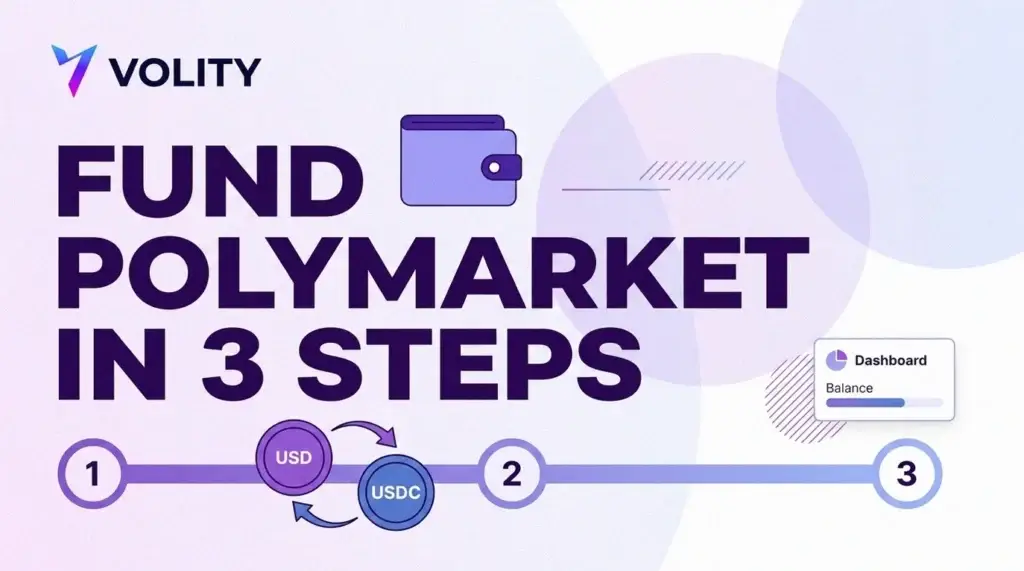
Funding a Polymarket account from Volity is a three-step job: connect or create the account at the venue, deposit from your Volity USD wallet, then trade on Polymarket and watch the balance from your dashboard. The Markets screen in Volity handles the first two. The trading happens on Polymarket itself, where your money and your positions sit. This guide walks the flow in order and explains the parts that confuse people, starting with why dollars leave your wallet and a dollar stablecoin arrives at the other end.
The Crypto Trading Starter Kit
A plain-English PDF: what to check before you trade, how orders and risk really work, and the mistakes to skip. Get it free.
TL;DR / Quick insight: Open the Markets section of your Volity dashboard, connect or create a Polymarket account, then use Deposit money to fund it from your Volity USD wallet. The funding is described in-product as funded in USD from your Volity wallet and delivered as USDC, because Polymarket settles everything in a dollar stablecoin on the Polygon network. Once funded, you trade on Polymarket and track the balance in Volity. The balance and the positions are held at Polymarket, not at Volity.
Nothing here is personal advice. An event contract can settle at zero, which means losing the full amount you paid for it.
What you need before you start
The deposit step will not do anything useful until a few pieces are already in place: a funded Volity USD wallet, a Polymarket account you can log into, and a market you have actually read.
- Dollars in your Volity wallet. The Markets screen funds the venue from your USD balance, so the balance has to exist first. Topping up the wallet is a separate job from funding the venue.
- A login method you will still have next month. Polymarket ties your deposit address to your profile, and the profile is tied to how you signed up.
- The market rules, read in full. The title of a market is a summary. The rules are the contract, and they decide whether you get paid.
If event contracts themselves are new to you, read our explainer on what prediction markets are before you fund anything. Money in an account you do not understand is money at risk for no reason.
Connect or create your Polymarket account
Open the Markets section of your Volity dashboard, headed “Trade and prediction markets”, and use the Connect Polymarket control. That takes you to the venue to sign in or register. Polymarket documents the routes into an account: continue with Google, sign up with an email address and a six-digit code, or connect an existing crypto wallet such as MetaMask, Rabby or Phantom. Wallet sign-ups sign two messages, one to connect and one to enable trading.
Pick one method and stay with it. The venue’s own deposit guidance warns you to use the same wallet and login method as when you created your account to avoid discrepancies, because a different login can land you in a different profile with a different deposit address and an empty balance. That is the single most common self-inflicted problem at this step.
Email sign-ups get a wallet managed through Magic, and the private key stays exportable by you at the venue’s key-export page. Never share that key or the six-digit login code with anyone, including anybody claiming to be support. The venue states plainly that it cannot recover funds lost to a shared code.
Deposit from your Volity USD wallet
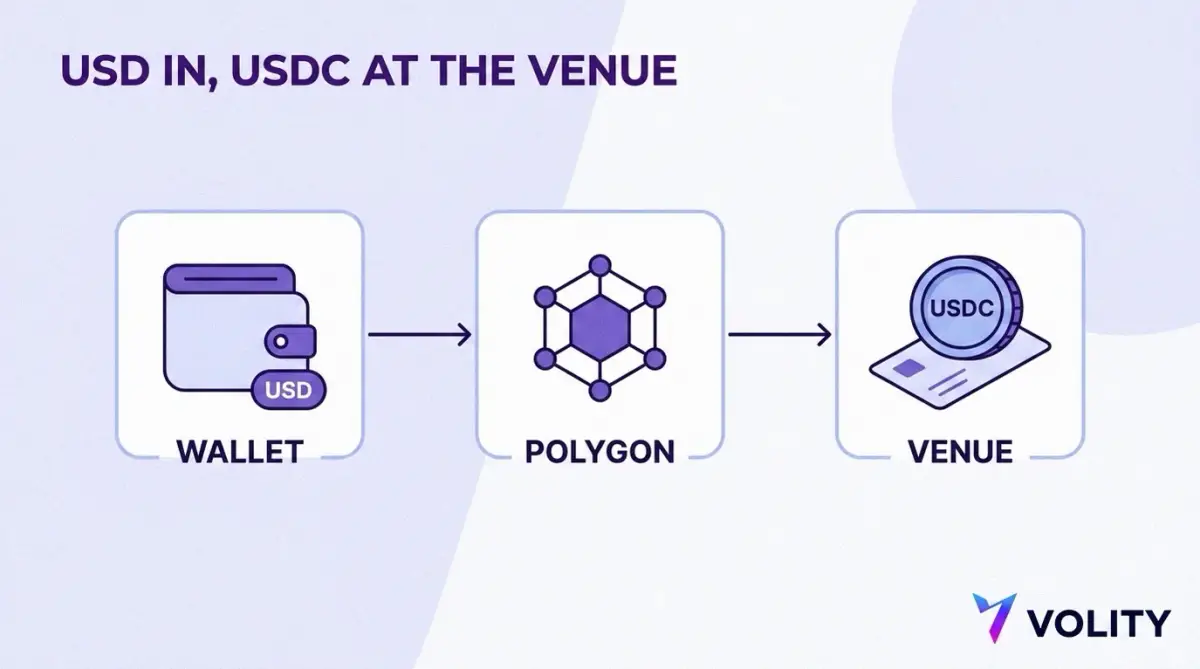
With the account connected, the Deposit money control on the Markets screen moves value from your Volity USD wallet to your Polymarket account. You choose the amount in dollars. Volity handles the conversion and the transfer, and the funds show up as a spendable balance at the venue.
What you are avoiding here is the manual version. Done by hand, a Polymarket deposit means selecting a token and a network, copying the fixed deposit address tied to your profile, and sending funds to it yourself. That address cannot be regenerated, and it is different on each blockchain network, so the same profile has one address for Polygon and a different one for Solana or Bitcoin. Send to the wrong chain and the venue is blunt about the consequence: transactions sent to the wrong chain or address cannot be reversed. There is an on-chain recovery tool, but recovery is an attempt, not a guarantee.
The venue’s own documentation adds a couple of details worth carrying with you. Per-network minimums exist, and a deposit below one remains pending until the cumulative amount meets the required minimum, with the help centre giving $20 on Ethereum and $3 on Solana as its examples (as of the 8 June 2026 revision). And Polymarket charges no fee to deposit or withdraw USDC, though third-party intermediaries can charge their own.
Why USD goes in and USDC arrives
Polymarket does not hold dollars in a bank account for you. The venue operates on Polygon, a proof-of-stake layer built on Ethereum. Trading collateral is held as pUSD, an ERC-20 token on Polygon that Polymarket backs with USDC and enforces onchain, a stablecoin pegged one for one to the US dollar. So a dollar balance has to become a dollar stablecoin balance somewhere along the way, and that is the step Volity performs for you.
USDC is a fiat-backed stablecoin, which Ethereum’s own documentation describes as a digital representation of a traditional currency you can buy at a 1:1 ratio and redeem with the issuer. Circle, the issuer, states that USDC is backed 100% by highly liquid cash and cash-equivalent assets and always redeemable 1:1 for US dollars, with a Big Four firm providing monthly third-party assurance that reserves exceed USDC in circulation. Polygon itself is documented as an EVM-compatible proof-of-stake chain for Ethereum with high throughput and low transaction costs, which is why the venue can settle small trades without gas costs swallowing them.
One layer of nuance sits below all this. In its exchange upgrade of 28 April 2026, Polymarket moved its collateral token to Polymarket USD, an ERC-20 token on Polygon backed 1:1 by USDC with the backing enforced on-chain by the smart contract, while the protocol settles activity in native USDC. The venue’s own summary of what it means for a user is that day to day nothing changes: you load funds, you see a balance, you trade, you withdraw.
Stablecoins are moving into formal regulation rather than sitting outside it. The Bank of England has published its policy positions on sterling-denominated systemic stablecoins, following the consultation it launched in November 2025. Rules differ by currency and by jurisdiction, and a dollar stablecoin is not a bank deposit under any of them.
Trade on Polymarket and track the balance in Volity
Once the funds land, the trading happens at the venue. You open Polymarket, pick a market, and buy YES or NO shares on the order book. Every share is priced between 0.00 and 1.00, with each YES and NO pair fully collateralised by $1.00 USDC and the winning side paid $1.00 per share at resolution. The counterparty is another user rather than a house, which is why you can sell out of a position before the event is decided.
Order size is not capped. The venue notes that its order book has no trading size limits by design, while warning that there is no guarantee of transacting a desired amount without moving the price, or at all if nobody is on the other side. Read the book depth before you size up, not after.
Fees are charged to takers only. The published fee schedule sets the taker rate by category, with makers never charged, and geopolitical and world-events markets fee-free. The fee is calculated at match time from the number of shares and the price, so it is largest around the middle of the range and shrinks towards the extremes. Rates change, so check the schedule rather than a figure you memorised.
What the balance panel is telling you
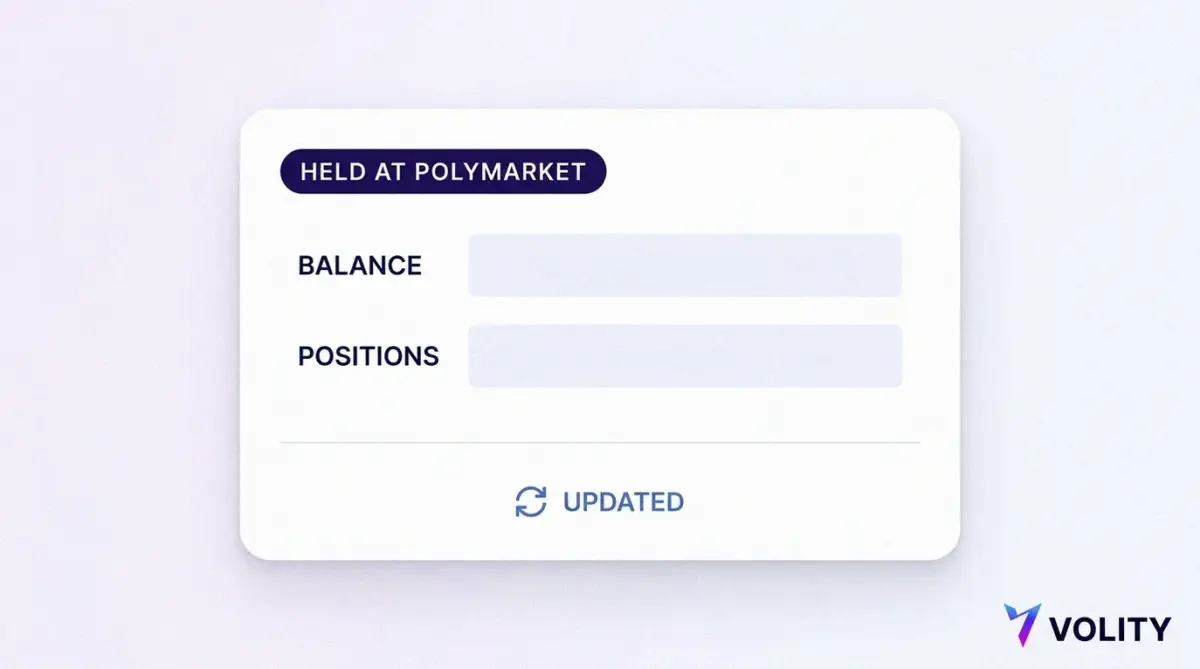
Back in Volity, the Markets screen shows the connected venue with a Refresh control so you can pull the current figures. The label matters more than the numbers. A balance shown as held at Polymarket is exactly that, a mirror of a position that exists somewhere else, and Volity is showing it to you rather than holding it.
Balances and positions are held on the external platform, not by Volity. Trading, availability and withdrawals are subject to that platform’s own terms, and Volity does not place or manage orders on your behalf. This is not a technicality. It changes who you talk to when something goes wrong, and it changes what protections apply. Polymarket describes itself as non-custodial, never taking possession of your USDC, with the private key exportable by you at any time. Control of the key is control of the funds, in both directions.
Money comes back the same way it went out. Withdrawing at the venue means entering a recipient address and choosing the token, amount and network from your portfolio, with the same wrong-chain risk as a deposit. Our step-by-step guide to withdrawing from an external trading platform covers the return leg in full.
Checklist before your first position
Run through the following before you commit money to a market.
- Confirm you are logged into Polymarket with the same method you registered with.
- Fund a small test amount first and confirm it appears at the venue before sending more.
- Read the market’s resolution rules and its source of truth, not just the headline.
- Check the order book depth at the size you actually intend to trade.
- Check the current taker fee for that market’s category on the venue’s published schedule.
- Note that the money is at the venue, so plan the withdrawal route before you need it.
- Size the position as money you can lose in full, because a losing share pays nothing.
Where Volity fits
Volity is the funding and tracking layer for this. The Markets screen connects the venue, moves dollars out of your wallet into it, and shows you the resulting balance next to everything else you hold, so you are not logging into three places to answer one question. The trading itself is yours to do, on Polymarket, under Polymarket’s terms.
For the venue mechanics behind the order book, read how Polymarket works. For what happens at the end of a contract’s life, see how prediction markets resolve. The general pattern of linking a venue to your wallet is covered in connecting external trading platforms, and the rest of our crypto guides fill in the background.
Can I fund Polymarket with a card?
Through Volity the funding comes from your Volity USD wallet, so the card question belongs one step earlier. Topping up the wallet itself supports VISA and Mastercard alongside BTC, ETH and USDT, all free and instant, with a minimum deposit of EUR 10. Once the dollars are in the wallet, the Markets screen moves them to the venue for you.
How long does a Polymarket deposit take?
The venue’s instruction is to refresh the page after the transaction confirms, at which point the funds appear in your balance. Confirmation times depend on the network rather than on any fixed schedule, so treat a deposit as done when you can see the balance at the venue, not when you press the button. Deposits below a network’s minimum stay pending until the cumulative amount reaches it.
Why does my deposit show as USDC?
Because Polymarket settles in a dollar stablecoin balance on the Polygon network. Funding is described in-product as funded in USD from your Volity wallet and delivered as USDC, which is the conversion happening in the background. USDC is pegged one for one to the US dollar and backed by cash and cash-equivalent reserves, so the dollar figure you sent is the dollar figure you can trade with.
Where is my money actually held?
At Polymarket, in a non-custodial wallet tied to your profile, with the private key exportable by you. Volity shows you the balance and moves funds into the venue, and the venue holds the balance and the positions. Trading, availability and withdrawals follow that platform’s terms, and Volity does not place or manage orders on your behalf.
Do I need a separate app to trade?
You place trades on Polymarket, so yes, the trading happens at the venue rather than inside Volity. What you do not need is a separate funding route or a separate place to check your balance. Connecting and funding run from the Markets screen, and the resulting balance is shown there alongside the rest of your holdings.