A CFD trading app lets you trade Contracts for Difference from your phone, going long or short with leverage across forex, shares, indices, crypto, and commodities. The best CFD trading app gives you fast execution, charts you can actually read on a small screen, one-tap order controls, and security you can trust with real money. The Volity app does that, and it carries a multi-currency wallet in the same login.
What is CFD trading, in one minute?
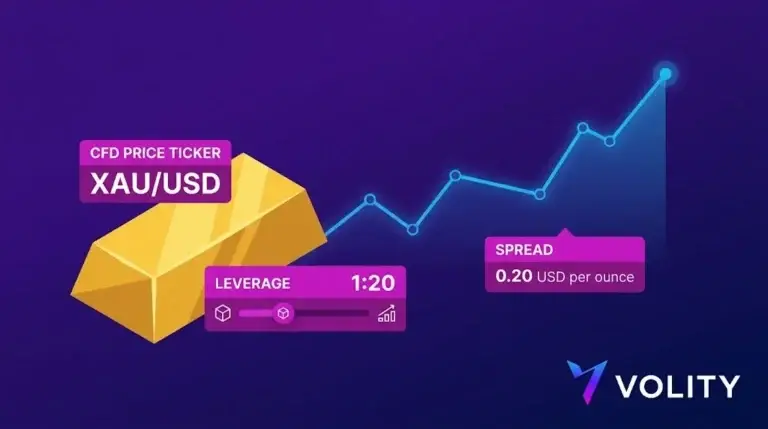
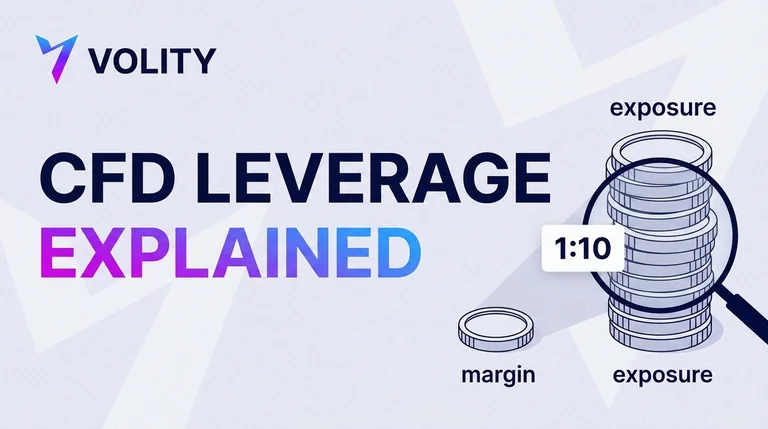
So what is CFD trading? In short, it is trading the price movement of an asset without owning the asset itself. The CFD trading meaning comes down to this: you open a Contract for Difference and agree to exchange the change in price between the moment you open and the moment you close, and you can go long or go short with leverage. CFD trading in forex is the same idea applied to a currency pair such as EURUSD, traded in either direction on margin. For the full definition and the mechanics behind it, our guide to the advantages of CFD trading goes deeper. This page is about the app you actually trade on.
What makes the best CFD trading app?
A desktop platform and a phone are different tools. The best CFD trading app is designed for the phone from the start, so fast decisions feel natural on a small screen instead of cramped. Judge any app on the points below, including the best CFD trading platform UK traders tend to shortlist.
| App feature | Why it matters on mobile | Volity app |
| Execution speed | You often trade on the move, reacting to a price in real time. | 99.6% of trades filled in under one second, strictly no requotes. |
| Charting | Analysis has to be readable and usable on a phone. | TradingView-grade charts with 100+ indicators. |
| Order types | Stops and limits must be one tap, not buried. | Stop-loss, take-profit, and trailing stops at order entry. |
| Alerts and sync | You cannot watch the screen all day. | Price alerts, and instant sync with desktop and web. |
| Security | A trading app holds real money. | Regulated execution, segregated funds, and secure login. |
The Volity CFD trading app for iOS and Android carries the full desktop feature set, so nothing is missing when you trade from your pocket. A position opened on mobile appears instantly on desktop, and the reverse holds too.
A quick CFD trading example on the app
Here is a short CFD trading example you could run from the app. Say the US100 index is quoted and you expect it to rise. You open a long CFD, set a stop-loss below your entry, and set a take-profit above it, all on one order ticket. If the index climbs, your position gains. If it falls to your stop, the trade closes with a loss you had already capped. Leverage means both the gain and the loss are larger than your margin alone would suggest, which is exactly why setting that stop on the same screen matters. The whole sequence takes seconds on a phone.

Do you need the app and the desktop platform?
Most active traders use both, and Volity is built so you do not have to choose. The app is where you react. It is with you when a market moves against you, when a price alert fires, or on the days you just want to close a position and get on with things. The desktop platform is where you plan, because wider charts and several windows open at once are simply easier on a large screen. Every position and order syncs across devices in real time, so you can research a trade on desktop in the morning, place it, and then manage it from the app through the day. Nothing is locked to one device. For a lot of people the phone ends up as the primary terminal and the desktop becomes the analysis studio, with the two kept in step.
CFD trading in the UK: what to check on an app
For CFD trading UK users, two questions matter more than any others: is the provider regulated, and are the costs clear? Volity’s execution is regulated by CySEC under UBK Markets, licence 186/12, with segregated client funds and negative balance protection. Its full fee schedule is published, too. It also helps to know what CFD means on a split platform: if you have wondered what is CFD in Trading 212, a CFD there is a separate leveraged product, distinct from the Invest account that buys real shares. The same long-or-short, margin-based logic applies to any CFD app, Volity included. UK traders can also read the FCA’s consumer guidance on CFDs for the rules that govern how leveraged products are sold.
Is CFD trading halal, and can an app be swap-free?
Whether CFD trading is halal depends on how the account is structured and on individual scholarly guidance. The usual sticking point is riba, the interest built into overnight swap charges. A swap-free Islamic account strips out that overnight interest, and Volity offers a swap-free structure under its standard terms, reachable through the same app. Traders who need a Sharia-compliant setup should check the specific conditions and seek qualified guidance where it matters.
CFD trading for beginners
CFD trading for beginners is safest when you learn on the app before any real money is at stake. A sensible order looks like this:
- Download the Volity app and open a free wallet with your email.
- Switch to the free, unlimited demo and place practice CFD trades, each with a stop-loss.
- Complete KYC when you are ready for live trading, then fund with card, SEPA, or crypto.
- Start with the smallest sensible size, and scale up only as your results support it.
CFDs are leveraged, so they carry a high risk of loss. The demo is where you build the habits that keep you in the game once real money is involved: putting a stop on every trade, and sizing each position so one bad call never does lasting damage. If you want the concepts alongside the practice, the CFD education hub walks through them.
More trading apps now add AI assistants and automated tools. Our guide to AI trading apps shows how to judge those features and spot AI trading scams.
What are the risks of trading CFDs on an app?
The convenience of an app cuts both ways, so it is worth naming the risks plainly. CFDs are leveraged, which means losses can build quickly and, on the position itself, run past your initial margin. A few things deserve real attention before you tap buy:
- A phone makes it easy to over-trade or fire off an order on a whim. Decide your plan and your stop before you open the ticket, not after it is already running.
- Fast markets can gap straight through a level. Negative balance protection means you cannot lose more than you deposit, though you can still lose the full amount you chose to put at risk.
- Trading between other tasks invites mistakes. Give an open position the same attention on your phone that you would give it at a desk.
Rules on leverage exist for this reason. Measures from ESMA set negative balance protection and leverage limits for retail CFD accounts across the EU, and IOSCO has documented how often retail traders lose on leveraged products. Notifications and price alerts help you stay on top of open trades, but they are no substitute for a clear exit plan you set in advance. The app rewards discipline; without it, the same convenience simply speeds up costly mistakes.
Why trade CFDs on the Volity app?
Most CFD apps do one thing, which is trading. The Volity app does more from a single login. It holds a multi-currency wallet in BTC, ETH, USDT, USD, and EUR, moves money with free internal transfers and free SEPA, and trades 10,000+ instruments across forex, shares, indices, crypto, and commodities. You are not switching between a wallet app, a payment app, and a trading app every time you want to act on an idea. Fund your balance, open the chart, place the trade, all in the same place. See the full toolset on the Volity MT platform page, or weigh the wider field in our CFD platforms compared guide.
Frequently asked questions
What is the best CFD trading app?
The best CFD trading app is regulated, executes fast, offers proper charting and one-tap risk controls, and keeps its fees clear. The Volity app meets all of these: CySEC-regulated execution, 99.6% sub-1s fills, TradingView-grade charts, stop-losses at order entry, and a published fee schedule, plus a wallet and payments in the same app.
Is the Volity CFD trading app free to use?
Yes. The app is free to download, the wallet costs nothing to hold, and the demo is free and unlimited. You only pay the normal trading costs when you trade live, mainly the spread from 0.6 pips and overnight swap on leveraged positions held past 22:00 GMT. Everything is listed on the charges and fees page.
Can beginners use a CFD trading app?
Yes, and the safest route is to start on the free demo inside the app. CFDs are leveraged and carry a high risk of loss, so beginners should learn the mechanics on virtual capital, practise attaching stop-losses, and trade small when they go live. The app makes each of those steps a couple of taps.
Does the CFD trading app work on iOS and Android?
Yes. The Volity CFD trading app is available for both iOS and Android, and it mirrors the desktop and web platform. Charting, order entry, position management, and alerts are all included, and any trade you place syncs across your devices in real time.