Investing in financial products involves risk. Losses may exceed the value of your original investment.
Quick answer
MetaTrader 4 was released in 2005 for retail forex with hedging accounts and the MQL4 language. MetaTrader 5 followed in 2010 as a multi-asset platform with MQL5, a faster backtester, and a netting account model. MT4 still suits forex-only traders running legacy EAs; MT5 fits multi-asset trading and modern strategy development.
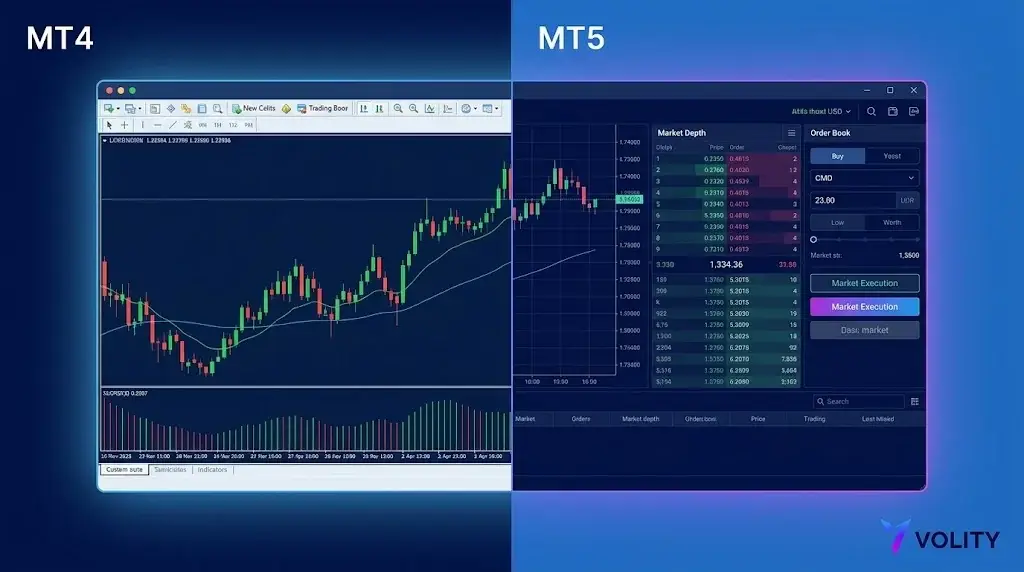
MetaTrader 4 was released in 2005 and built for retail forex. MetaTrader 5 was released in 2010 as a multi-asset successor with a different programming language, a faster backtester, and a netting account model. They are not parent and child products; they are two platforms that the vendor maintains in parallel. The honest answer for most traders in 2026 is to start on MT5, with one exception: if your strategy depends on a specific MT4 expert advisor that has not been ported, stay on MT4 until it is.
Asset classes and order routing
MT4 was designed for forex and bilateral CFDs. The platform handles equities and futures only through broker workarounds. MT5 was built ground-up for multi-asset routing: spot FX, CFDs, exchange-traded equities, futures, and options coexist on the same terminal with native order types for each. For a retail trader staying within forex and CFDs, the difference is invisible. For a trader who wants stocks and futures alongside FX on one platform, MT5 is the only option.
Order types and execution
| Order type | MT4 | MT5 |
|---|---|---|
| Market | Yes | Yes |
| Buy / sell limit | Yes | Yes |
| Buy / sell stop | Yes | Yes |
| Buy / sell stop-limit | No | Yes |
| Trailing stop (server-side) | Client-side only | Server-side |
| Partial close | Yes | Yes |
| One-Cancels-Other (OCO) | EA workaround | Native |
The stop-limit order on MT5 is genuinely useful: it lets you queue a limit order that activates only after a price has been touched. Useful for breakout entries with control over slippage.
Hedging vs netting
MT4 only supports hedging accounts: multiple positions per symbol, can be long and short on EUR/USD simultaneously. MT5 supports both. Netting accounts allow only one open position per symbol; opening an opposite trade closes the existing one.
Most retail traders prefer hedging. The choice is set per-account at the broker, not per-trade. If you trade strategies that require simultaneous longs and shorts on the same instrument, confirm hedging is enabled on your MT5 account.
Programming language: MQL4 vs MQL5
MQL4 is procedural, with C-like syntax and a single execution thread per EA. Easy to learn, easy to copy-paste, vast online community. Twenty years of accumulated indicators and expert advisors.
MQL5 is object-oriented, closer to standard C++. Multi-threaded execution. Significantly faster for complex EAs. The trade-off: a steeper learning curve, and MT4 EAs do not run on MT5 unchanged. A non-trivial port takes 2-4 weeks of developer time.
Practical implication: if you do not write or modify EAs, this section does not affect you. If you do, MQL5 is the more powerful and more complex option. The MQL4 community is bigger; the MQL5 community is growing and produces more sophisticated work.
Backtesting and strategy tester
The MT5 strategy tester is the single largest practical upgrade over MT4. It is multi-threaded (uses all CPU cores), supports multi-currency and multi-symbol tests natively, and includes a genetic-algorithm optimiser. Backtests that take hours on MT4 finish in minutes on MT5 on the same hardware.
For systematic traders this is decisive. The ability to run a 10-pair multi-currency portfolio test in a single pass, with realistic slippage and spread modelling, simply does not exist on MT4.
Charting and indicators
| Feature | MT4 | MT5 |
|---|---|---|
| Timeframes | 9 | 21 |
| Native indicators | 30 | 38 |
| Drawing tools | 23 | 44 |
| Depth of market | Broker plugin | Native |
| Economic calendar | External | Native |
| News feed | Broker-dependent | Native |
The 21 timeframes on MT5 include 2-minute, 3-minute, 6-hour, 8-hour, and 12-hour charts that simply do not exist in MT4. For traders who use non-standard timeframes, this matters.
Mobile experience
Both platforms have iOS and Android apps. Both support charting, order entry, and account management. MT5 mobile gets new features faster (depth of market, more order types, native economic calendar). MT4 mobile is mature and stable, and running MetaTrader 4 on iPad gives discretionary traders more chart space than a phone.
Broker support and infrastructure
MT4 has wider broker availability globally, especially in emerging markets. MT5 is now standard at most EEA, UK, and Australian regulated brokers and is gaining ground globally. New broker launches in 2026 are typically MT5-first or MT5-only.
The decision framework
| Use case | Pick |
|---|---|
| Pure forex with legacy MT4 EAs | MT4 |
| Multi-asset (FX + indices + stocks + crypto) | MT5 |
| Algo backtesting and optimisation | MT5 |
| Discretionary swing or position trading | MT5 |
| Fresh start, no legacy EAs | MT5 |
| Existing strategy on MT4 already paying you | Stay on MT4 until you have a reason to port |
Both at Volity
Volity provides MetaTrader 4 and MetaTrader 5 across desktop, web, and mobile. Trading is executed by UBK Markets Ltd, a Cyprus Investment Firm authorised by CySEC under licence 186/12. Volity offers leverage of up to 1:500 on major and non-major currency pairs, major indices and commodities, up to 1:50 on crypto CFDs and up to 1:20 on individual equity CFDs. Leverage magnifies gains and losses alike, so size each position so a single loss stays small and keep a stop-loss. Negative balance protection applies. Eligible retail clients are covered by the Cyprus Investor Compensation Fund up to EUR 20,000 per client per firm.
Volity operates a trading platform and also publishes educational and analytical content about trading. The content on this page is for educational purposes only and should not be considered financial advice. Volity may benefit commercially when readers open trading accounts through links on this site.
Our content is produced and reviewed under documented editorial standards; see our comparison and review methodology.