Quick answer
Crypto malware is malicious software designed to steal cryptocurrency or hijack your device to mine it. Common types include clipboard hijackers that swap wallet addresses, wallet-draining trojans, and cryptojacking scripts. Protect yourself with reputable security software, a hardware wallet, careful downloads, and by never entering your seed phrase into any app or site.
The Crypto Trading Starter Kit
A plain-English PDF: what to check before you trade, how orders and risk really work, and the mistakes to skip. Get it free.
Investing in financial products involves risk. Losses may exceed the value of your original investment.
Malware isn’t a threat solely to banks, businesses, or careless internet users. You’ll find it lurking deep in the world of crypto too, and it’s getting smarter.
Yes, your wallet, browser extension, or even a clipboard can become a target. So, it is important to understand how crypto malware works, what forms it takes, and how you can spot it before it strikes. Each click, connection, or approval must be handled with care.
This guide walks you through the threats, real-world attacks, and the steps you can take to stay secure in the fast-moving world of digital assets.
What Is Crypto Malware?
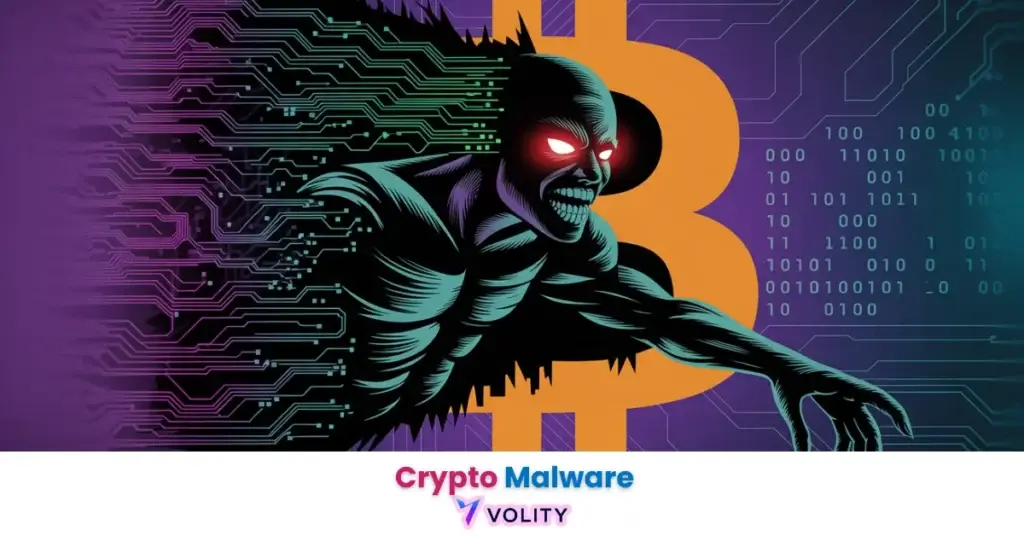
Crypto malware is a form of malicious software that targets digital assets. It steals, drains, or locks cryptocurrency through silent infiltration or deception. The aim is almost always financial, extracting value before detection.
The malware may reroute funds, alter wallet permissions, or encrypt system files until a ransom is paid.
Unfortunately, there’s a growing trend shaping the dark corners of crypto crime. In fact, interest in crypto-drainers, a tool designed to silently siphon funds from wallets, has surged by 135% from 2022 to 2024, according to Kaspersky Digital Footprint Intelligence.
How Does Crypto Malware Work?
Crypto malware usually starts with something that looks normal. You might click on a fake airdrop, a wallet connection request, or a link that says “Claim Free NFT.” It feels safe because the site or app often looks just like the real thing.
When you approve the request, the malware doesn’t ask for your seed phrase. Instead, it asks you to sign a transaction. On your screen, it may say “Connect Wallet” or “Approve Access.” You don’t see anything strange, so you allow it.
But here’s what’s happening in the background.
That one approval lets the attacker drain your wallet. Behind the scenes, they use that access to move your tokens. You gave them permission, without realizing what the transaction actually meant. That’s why it often doesn’t trigger warnings. You don’t get an email. You don’t get a popup. Your funds just vanish.
Now, on the attacker’s side, it’s all automated. Many of them buy or rent crypto-draining kits. These are ready-made tools that copy known platforms and inject malicious code. Once someone clicks the link or connects their wallet, the system kicks in. It signs smart contracts that move tokens or give full approval rights to the attacker’s address.
Some malware doesn’t even steal right away. It waits, checking your balance and draining only when there’s enough to make it worth it.
In other cases, like ransomware, your files or crypto keys get encrypted. You see a ransom note saying, “Pay X amount in Bitcoin to get your access back.” The note might be on your desktop, inside your browser, or even on the screen as wallpaper.
So, from your side, you just click. On their side, the theft happens in seconds.
That’s what makes crypto malware so dangerous. It doesn’t always feel like an attack. It feels like just another approval, until your funds are gone.
Key Types of Crypto Malware Threats
- Ransomware: It encrypts your personal or business files and demands cryptocurrency as payment to unlock them. Some versions also threaten to leak your data unless you pay quickly.
- Cryptojacking: Attackers inject malicious code that secretly uses your device to mine crypto. You may notice slow performance or overheating, but the mining stays hidden in the background.
- Clipboard Hijackers: There are programs that monitor what you copy and swap your wallet address with one owned by the attacker. The funds go to them without you ever noticing the change.
- Crypto Drainers: Crypto drainer tools pose as legit dApps, airdrops, or contracts, asking you to “approve” access. Once approved, they instantly drain your wallet of all tokens and assets.
- Remote Access Trojans (RATs): RATs give attackers full control of your system, often bypassing antivirus software. They can watch your screen, steal private keys, or execute commands to move funds.
- Malicious Extensions & Wallet Spoofers: Fake browser add-ons or mobile wallets mimic real ones like MetaMask or Trust Wallet. They log your inputs, steal seed phrases, and redirect your transactions.
How Crypto Malware Is Sold and Distributed on Dark Web?
The dark web has made it dangerously easy to launch a crypto malware attack. You don’t need advanced skills anymore, just the right connections and a crypto wallet.
In fact, most attacks now begin with Malware-as-a-Service (MaaS). Instead of building malware from scratch, attackers simply rent or buy pre-coded tools from vendors operating in underground forums. Basically, these packages often come with full instructions, updates, and even dashboards to manage stolen data or track wallet drains.
What’s more surprising is how professional the underground market has become. Sellers post product descriptions, features, and demo videos. They offer trial versions, customer support, and tiered pricing, just like any SaaS company would. Payment happens in crypto, usually Bitcoin or Monero, and many deals use escrow services to protect buyers.
Kaspersky has reported that after a temporary surge in Telegram channels, cybercriminals are now returning to traditional dark web forums. These spaces allow for longer threads, vendor reputation building, and organized listings. You’ll find malware kits, phishing page templates, fake browser extensions, and even ready-to-launch wallet drainers.
Some drainers even come white-labeled. Attackers can brand them with names like SafeNFT or TrustDrop, designed to fool victims into thinking they’re using a real service. It’s this mix of social engineering and accessible tooling that’s making modern crypto threats more widespread, and harder to detect, than ever before.
Real-World Crypto Malware Attacks
- Security analysts uncovered a malicious Python package called GitVenom hosted on GitHub, designed to steal private keys from desktop wallets. According to CryptoDnes, the malware led to the theft of over $442,000 in Bitcoin, targeting both developers and traders using compromised tools.
- As reported by Decrypt, attackers created malicious Office add-ins disguised as productivity tools, spreading them through platforms like SourceForge. Once installed, the add-ins downloaded malware that stole wallet credentials and accessed saved browser data, especially targeting crypto users.
- Kaspersky’s official bulletin revealed a 135% increase in dark web discussions around crypto-drainers between 2022 and 2024. These drainers often target NFT traders and wallet users through fake giveaways and malicious smart contracts.
- Ukrainian law enforcement uncovered a large-scale cryptojacking setup involving over 1,000 infected servers, draining an estimated $4.4 million in mined cryptocurrency. Attackers ran illegal mining operations through cloud infrastructure by hijacking enterprise-level computing resources without user consent.
- According to CryptoDnes, hackers cloned the interfaces of trusted platforms like CoinMarketCap and Cointelegraph. Victims believed they were interacting with real WalletConnect prompts, but unknowingly signed malicious transactions that drained their wallets.
How to Detect and Prevent Crypto Malware Attacks?
- Monitor CPU/GPU usage to catch hidden mining (cryptojacking).
- Verify pasted wallet addresses to avoid clipboard hijackers.
- Audit browser extensions for fake wallets or spoofers.
- Use hardware wallets to keep keys offline and safe.
- Scan for RATs and keyloggers with real-time antivirus tools.
- Avoid connecting to unknown dApps or fake airdrops.
- Update all software regularly to close security gaps.
- Check URLs and links to prevent phishing and spoofed sites.
- Use dark web monitoring to catch threats targeting your wallet or brand.
Final Words
Crypto malware is malicious software designed to steal your digital assets. It infects your system, hijacks transactions, or tricks you into giving access to your wallet. So, if you trade or store crypto, you must treat security as a daily priority, not a one-time fix. Use trusted tools, verify every site or extension, and never rush approvals. That’s how you protect what’s yours in a space where threats hide in plain sight.
What our analysts watch: Three operational signals separate hygiene theatre from actual self-custody discipline. Clipboard-monitor behaviour on the host (most modern wallet drainers operate by silently rewriting an address in clipboard memory between copy and paste; verifying the first and last six characters of every address before signing closes that vector entirely). Browser-extension permission audits (a wallet extension that requests broad-host read or write access on every site is a phishing surface, not a wallet; the principle of least privilege is observable in the manifest). Signature-prompt comprehension (a hardware wallet that asks the user to approve a Permit signature on a token they did not intend to spend is the last and only honest defence against a successful drainer; users who blind-sign lose).
Frequently asked questions
How does crypto malware actually steal funds?
The most common vector is a clipboard hijacker that rewrites the destination address between the moment the user copies it and the moment it is pasted into the send field. The user sees the address they copied, signs, and the funds route to the attacker. Less common but rising fast are signature-prompt phishers that trick the user into approving an open-ended token allowance, then drain the approved token to an attacker wallet. The FBI Cyber Division resource page publishes active threat advisories and victim-reporting channels.
What is a cryptojacker and how is it different from a wallet drainer?
A cryptojacker is malware that uses the infected host as an unauthorised mining node, typically for Monero (the proof-of-work hash function fits CPU resources, which is what most infected machines have). The attacker monetises stolen electricity and CPU rather than stolen tokens. Wallet drainers go directly for the user funds. Both can coexist on a single infection and both leave forensic traces (CPU baseline drift for cryptojackers, suspicious approvals for drainers).
Will a hardware wallet protect me from crypto malware?
A hardware wallet protects the private key from extraction. It does not protect the user from approving a malicious transaction on the device screen. The protection is conditional on the user reading the destination address, the contract called, and the token-allowance amount on the device display, then signing only when all three match the intended action. Blind-signing on a hardware wallet defeats the purpose. The FTC consumer guide on cryptocurrency scams covers the most common social-engineering vectors that lead users to blind-sign.
What should I do if I suspect crypto malware on my device?
Disconnect the device from the network, do not unlock or interact with any wallet on that device, and treat any seed phrase that ever touched the device as compromised. Move funds from a clean device using the seed (if recovery is necessary, it is necessary on hardware that has never been compromised) to a fresh wallet. Report the incident to your local cybercrime authority and to any sanctioned-address screening service if the funds have already moved. The OFAC sanctions programmes reference documents the screening regime that applies to recovered or moving funds.
Related guides
Volity operates a trading platform and also publishes educational and analytical content about trading. The content on this page is for educational purposes only and should not be considered financial advice. Volity may benefit commercially when readers open trading accounts through links on this site.
Our content is produced and reviewed under documented editorial standards; see our comparison and review methodology.