You can connect an external trading platform to your wallet from the Markets section of your Volity dashboard, fund it from your Volity balance, and watch the resulting position from the same screen you use for everything else you hold. The section is headed “Trade and prediction markets”, and the sentence under it describes the arrangement in full: connect an external platform, fund it from your Volity wallet and trade on the platform itself. Two venues sit there today. Hyperliquid handles perpetual futures and spot, settled on-chain. Polymarket handles prediction markets on real-world events. Each carries the same three-step flow, and each keeps your balance and your positions at its own end.
TL;DR / Quick insight: Volity is the funding and tracking layer, not the venue. Connecting a platform links your Volity account to an account you hold at that platform, so money can move out of your wallet into it and the balance can be read back to your dashboard. You trade on the platform itself. Balances and positions are held on the external platform, not by Volity. Trading, availability and withdrawals are subject to each platform’s own terms, and Volity does not place or manage orders on your behalf. One wallet funds more than one venue; each venue still holds what you send it.
Nothing here is personal advice. Perpetual futures are leveraged instruments and leverage amplifies losses as readily as gains. An event contract can settle at zero and pay nothing at all. Both are ways to lose the money you put in, and neither becomes safer because the funding button lives somewhere convenient.
One wallet, more than one venue
The usual way to reach a second trading venue is to build a second everything. A separate account, a separate funding rail, a separate password, a separate balance you have to remember to check. Multiply that by the number of places you want exposure and the admin starts to cost more than the spread.
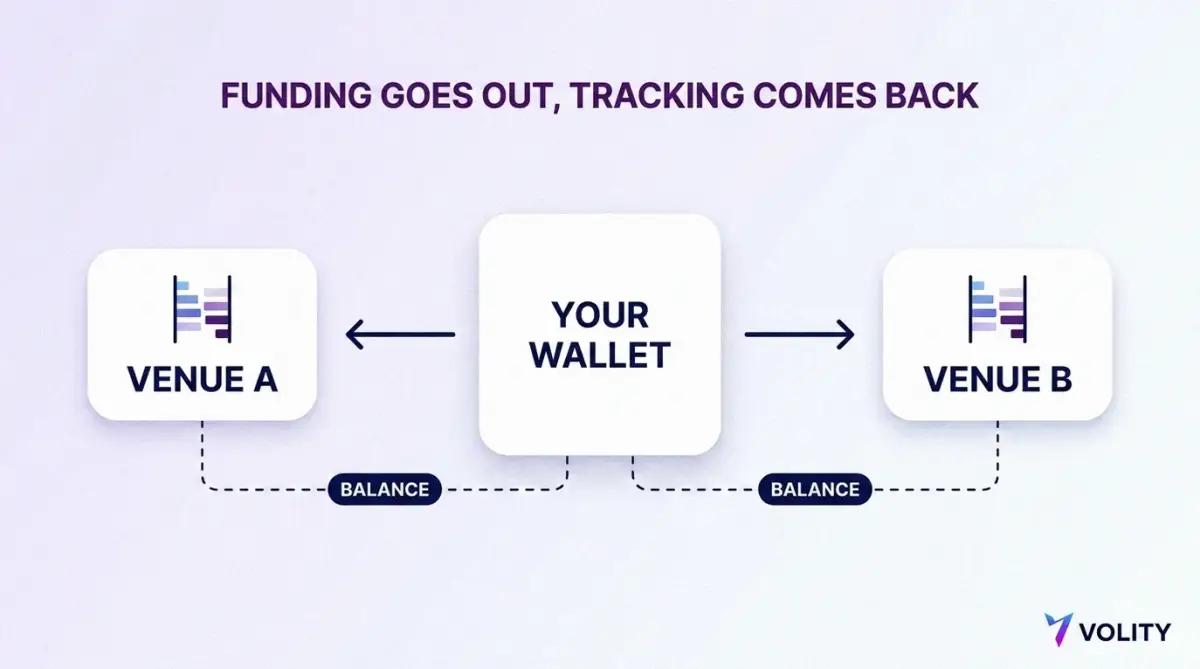
The Markets screen collapses the funding half of that. Your Volity wallet is the source of money for both venues, and both venues report their balances back to one panel. What it does not collapse is custody. Once dollars leave your wallet for Hyperliquid or Polymarket, they are at Hyperliquid or Polymarket, under that platform’s rules, and the trading is yours to do there. That split is worth understanding before you use it rather than after.
The controls on the screen are deliberately plain.
| Control | What it does |
|---|---|
| Open Hyperliquid | Takes you to the venue to sign in or register an account there. |
| Connect Polymarket | Links an account at that venue so funding and balance tracking can work. |
| Deposit money | Moves value from your Volity USD wallet to the connected venue. |
| Refresh | Pulls the current balance figures back from the venue and stamps them with a time. |
If either venue is new to you, the background reading is short. Our explainer on what Hyperliquid is covers the on-chain order book, and what prediction markets are covers event contracts from first principles.
What connecting a platform does, and what it does not
Connecting establishes a link between your Volity account and an account you hold at the venue. It is an identification step, not a transfer of authority. The venue learns which account belongs to you so that funding can be routed to it and balances can be read back; nothing about the link hands anyone the power to spend on your behalf.
On Polymarket the link is anchored to the account wallet address shown in your profile menu, and the platform’s developer documentation sets out the wallet types an account can use, from the current deposit wallet to legacy proxy and Safe wallets. On Hyperliquid, the account exists once you have signed in with an email address or connected a defi wallet, and the venue requires you to enable trading with a gas-less signature before the account can act. Both venues publish read-only interfaces for account state, which is how a balance panel anywhere can show your figures without touching your funds. Hyperliquid documents its info endpoint for querying account and market state, and Polymarket records all trades and positions onchain, publicly verifiable.
| What connecting changes | What it leaves alone |
|---|---|
| Funding can move from your Volity wallet to the venue. | Your wallet keeps its balance until you choose to deposit. |
| The venue’s balance appears on your dashboard. | The venue holds that balance, not Volity. |
| You have one place to see what is where. | Orders are still placed by you, at the venue. |
| You reach the venue from a screen you already use. | The venue’s own terms, limits and availability still govern the account. |
The line that matters most is the last one. Volity does not place or manage orders on anyone’s behalf. A connected platform is a platform you use yourself, with the funding step made shorter.
Moving money from your wallet to the venue
The funding flow is identical on both venues, and it runs in this order.
- Connect or create your account at the venue.
- Deposit from your Volity USD wallet using the Deposit money control.
- Trade on the venue and track the balance in Volity.
You choose an amount in dollars. What arrives at the other end is a dollar-denominated stablecoin balance, because that is what these venues settle in. Ethereum’s own documentation describes a fiat-backed stablecoin as a digital representation of a traditional currency you can buy at a 1:1 ratio and redeem with the issuer. Circle, which issues USDC, states that the token is backed 100% by highly liquid cash and cash-equivalent assets and always redeemable 1:1 for US dollars.
The destination differs by venue, and the detail is worth a minute of your attention because it decides what your money can do once it lands.
At Hyperliquid, deposits arrive as USDC on HyperCore, the half of the chain that runs the order books and the margin engine. The venue also operates a general-purpose EVM environment, and it is explicit that the HyperEVM is not a separate chain but is secured by the same HyperBFT consensus, with no bridging risk as one unified state. Same chain, same validators, separate balance environments. Moving value between them is an internal transfer rather than a cross-chain bridge, it costs gas, and each spot asset has its own transfer address, so sending the wrong asset to one loses the funds. For margining a position you want the balance on HyperCore, which holds the margin and matching-engine state, and funding through Volity puts it there.
At Polymarket, the in-product wording is that funding is delivered in USD from your Volity wallet and arrives as USDC. Underneath, the venue’s collateral token is now pUSD, described in its documentation as a standard ERC-20 on Polygon backed by USDC, with the backing enforced onchain and no algorithmic peg or fractional reserve. The same page is blunt about what changes for a user: day to day, nothing. You load funds, see a balance, trade and withdraw. Polygon is the network it all sits on, an Ethereum-compatible proof-of-stake chain, which is why deposit and withdrawal steps there look like blockchain steps rather than bank steps. The venue’s own deposit guide walks the manual route if you ever need it.
Step-by-step versions of both live in their own guides: how to fund a Hyperliquid account and how to fund a Polymarket account. Send a small test amount the first time you use either. Watching a small sum complete the whole journey teaches you more than reading about it.
What “held at the platform” means for your balance
The Hyperliquid panel in Volity is labelled “Held at Hyperliquid” for a reason, and the label is doing real work rather than legal decoration.
Balances and positions are held on the external platforms, not by Volity. Trading, availability and withdrawals are subject to each platform’s own terms. Volity does not place or manage orders on the client’s behalf. Read that as an answer to three practical questions: whose rules apply to your account, who you contact when something is wrong with it, and what happens to your money if you stop using the connection.
Polymarket runs a non-custodial model, and states it plainly: the platform is non-custodial, so you are in control of your funds. Its introduction spells out the consequences, including that assets are held in your wallet secured by your private key and the platform never takes possession of your funds. That control comes with the matching responsibility, which the venue also documents in its guide to exporting your private key. Lose the key and you lose the account.
Hyperliquid holds your collateral as margin in its clearinghouse state, and what you can take out depends on what your open positions need. The venue requires the margin remaining after a transfer out to be at least the greater of the initial margin required and 10% of the total notional value of your open positions, a rule it sets out in its margining documentation and applies through the clearinghouse that tracks each account’s margin state. Free collateral can leave. Collateral doing a job cannot.
Neither venue is a bank and neither balance is a deposit. Rules differ by country and it is your job to know the ones that apply where you live.
Tracking positions from one screen
Once a venue is funded, the panel does the work that used to require another login. The Hyperliquid panel shows available balance, account value, margin used, open positions and unrealised profit and loss, all denominated in USDC, under the “Held at Hyperliquid” label and next to a refresh timestamp.
Two habits make that panel useful rather than decorative. Press Refresh before you read the numbers, because a figure with a timestamp on it is a snapshot and markets do not wait for your screen. And treat the panel as a mirror, not a cockpit. Changing anything about a position happens at the venue, because that is where the position lives.
Knowing what the five figures mean is a separate skill and it is the one that keeps accounts alive. Account value is your whole collateral position including unrealised profit and loss. Available balance is the part not committed to open positions. Margin used is the part that is committed. Our guide to reading margin health and liquidation price works through the panel field by field, and USDC margin explained covers why a stablecoin sits underneath all of it.
Which venue answers which question
The two venues on the Markets screen are not competitors with each other. They answer different questions, and picking between them is a matter of what you are actually trying to express.
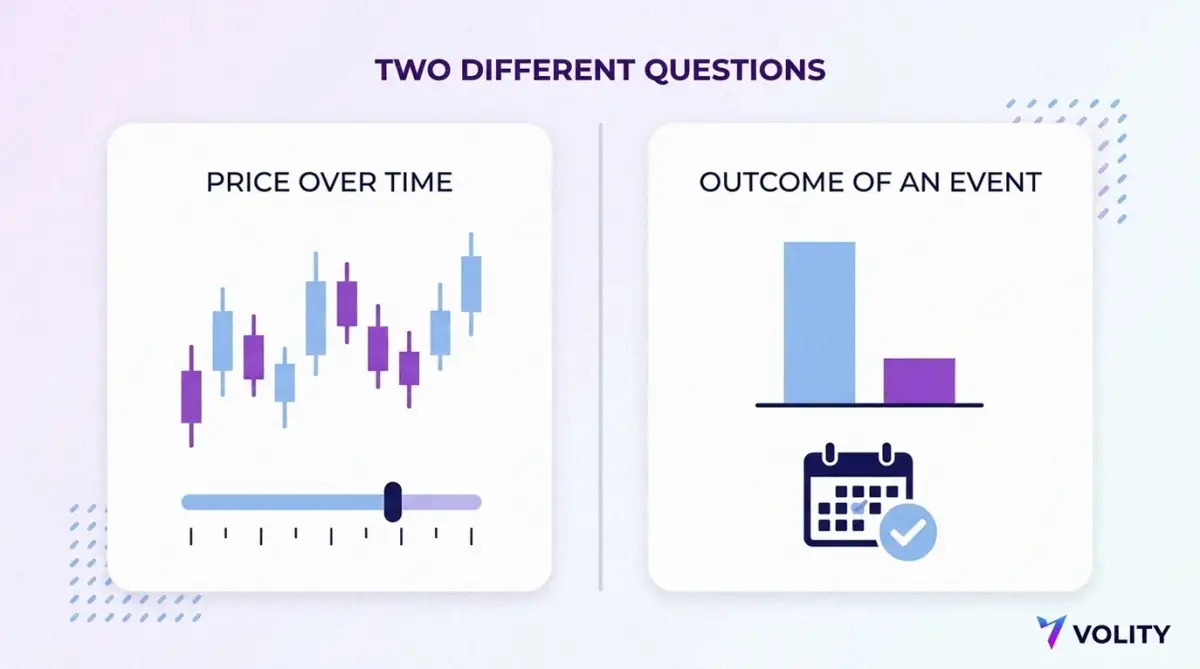
Hyperliquid is for a view on a price over time. Its core product is perpetual futures margined in USDC, leveraged, cash-settled and without an expiry date, alongside spot trading. You are trading the level of something, you can be right about direction and still be closed out by the path, and leverage decides how much room the path has. The background is in perp DEX versus centralised exchange, Hyperliquid fees explained, and the glossary entries on the perpetual contract and the funding rate.
Polymarket is for a view on whether a defined thing happens. Shares trade between $0.00 and $1.00, so the price is the market’s belief in the probability of that outcome, and each share pays $1.00 or nothing when the market resolves. The markets themselves are grouped as events with defined outcomes, and the wording of the resolution rule is the contract. Read prediction market odds explained for the price-as-probability arithmetic, how Polymarket works for the mechanics, how prediction markets resolve for settlement, and prediction markets versus betting for the structural comparison people ask about most.
One is a question about a number. The other is a question about a fact. The funding step looks identical from your wallet, which is convenient and also slightly misleading, so it helps to keep the difference in mind when you decide where the money goes.
What to confirm before you connect anything
Run through this list once, properly, before the first deposit rather than after it.
- Confirm the rules where you live. Availability and treatment of these instruments differ by country and that is your responsibility to check, not the venue’s.
- Read the venue’s own terms. They govern your account there, including limits, availability and how withdrawals work.
- Understand the instrument before the platform. A perpetual can liquidate you; an event contract can settle worthless. Neither outcome is a malfunction.
- Choose a login method you will still control in a year, and secure it properly. A different login is a different account with a different balance.
- Never share a private key, a seed phrase or a one-time login code with anyone, including somebody claiming to be support staff. The FCA’s guidance on protecting yourself from scams is short and worth the read.
- Send a small test amount and confirm it appears at the venue before sending more.
- Know the withdrawal route before you need it, including what happens to collateral committed to an open position.
- Size every position as money you can lose in full.
That last item is the one people skip. The Bank for International Settlements studied retail crypto app users after the 2022 collapses and found that a majority of users in nearly all economies studied had lost money on their bitcoin holdings, with smaller investors buying while larger ones sold. A shorter funding path does not change that arithmetic. It only removes an excuse for not thinking about it.
Where Volity fits
Volity is the funding and tracking layer. The Markets screen connects a venue, moves dollars from your wallet into it, and shows the resulting balance next to everything else you hold, so one question does not need three logins. The trading is yours to do, at the venue, under the venue’s terms.
Balances and positions are held on the external platforms, not by Volity. Trading, availability and withdrawals are subject to each platform’s own terms, and Volity does not place or manage orders on your behalf. That is the honest description of the arrangement and it is the part that tells you who is responsible for what.
The return leg is covered in how to withdraw from an external trading platform. The rest of our trading platform guides cover the software side, the Volity wallet is where the funding starts, and payments covers moving money in and out.
Do I need a separate account for each platform?
Yes, at the venue. Hyperliquid and Polymarket each hold their own account for you, with their own login and their own balance, and connecting from Volity does not replace that. What you avoid is a separate funding rail for each one. Your Volity wallet funds both, and both report their balances back to the same screen, so the duplication stops at the account itself.
Who holds my money once I fund a platform?
The platform does. Balances and positions are held on the external platform, not by Volity, and trading, availability and withdrawals are subject to that platform’s terms. On Polymarket that means a non-custodial wallet you control with your own key. On Hyperliquid it means collateral held as margin in the venue’s clearinghouse state. Either way, Volity moves the money and shows you the figure; the venue holds it.
Can I see all my balances in one place?
That is the point of the panel. The Markets screen shows the venue balance next to the rest of your holdings, with a refresh control and a timestamp so you know how current the figures are. It is a read of the venue’s numbers rather than a second copy of your money, so press Refresh before you rely on it.
Does connecting a platform give it access to my wallet?
No. Connecting identifies which account at the venue is yours so funding can be routed to it and the balance can be read back. Money moves only when you use the Deposit money control and choose an amount. Nothing about the link lets a venue reach into your Volity balance, and nothing about it lets Volity trade for you.
Can I disconnect a platform later?
Leaving a venue is a withdrawal question rather than a switch you flick. Anything you have already sent sits at that platform, so the sequence is to close or settle what needs closing, withdraw the free balance back to your wallet, and only then stop using the connection. Collateral committed to an open position cannot leave until the position releases it. The steps are in our guide to withdrawing from an external trading platform.